Surveys
Create professional online surveys with the survey module. Prepare customer satisfaction (CSAT), Net Promoter Score (NPS), employee feedback and market research surveys.
- Creating surveys and question types
- Survey distribution methods
- Measuring NPS and customer satisfaction
- Result analysis and reporting
Overview
Create professional online surveys with the survey module. Prepare customer satisfaction (CSAT), Net Promoter Score (NPS), employee feedback and market research surveys.
Various Question Types
Multiple choice, rating, open-ended and more.
Conditional Questions
Routing to different questions depending on the answers.
Real-Time Analysis
View the results as the answers come in.
Easy Distribution
Share by link, e-mail or QR code.
Creating a Survey
Steps to Create a Survey
- Marketing → Surveys → Surveys → New
- Enter the survey title and description
- Create pages and sections
- Add the questions
- Define logic rules (optional)
- Customise the look
- Test and publish
The Survey Management Interface
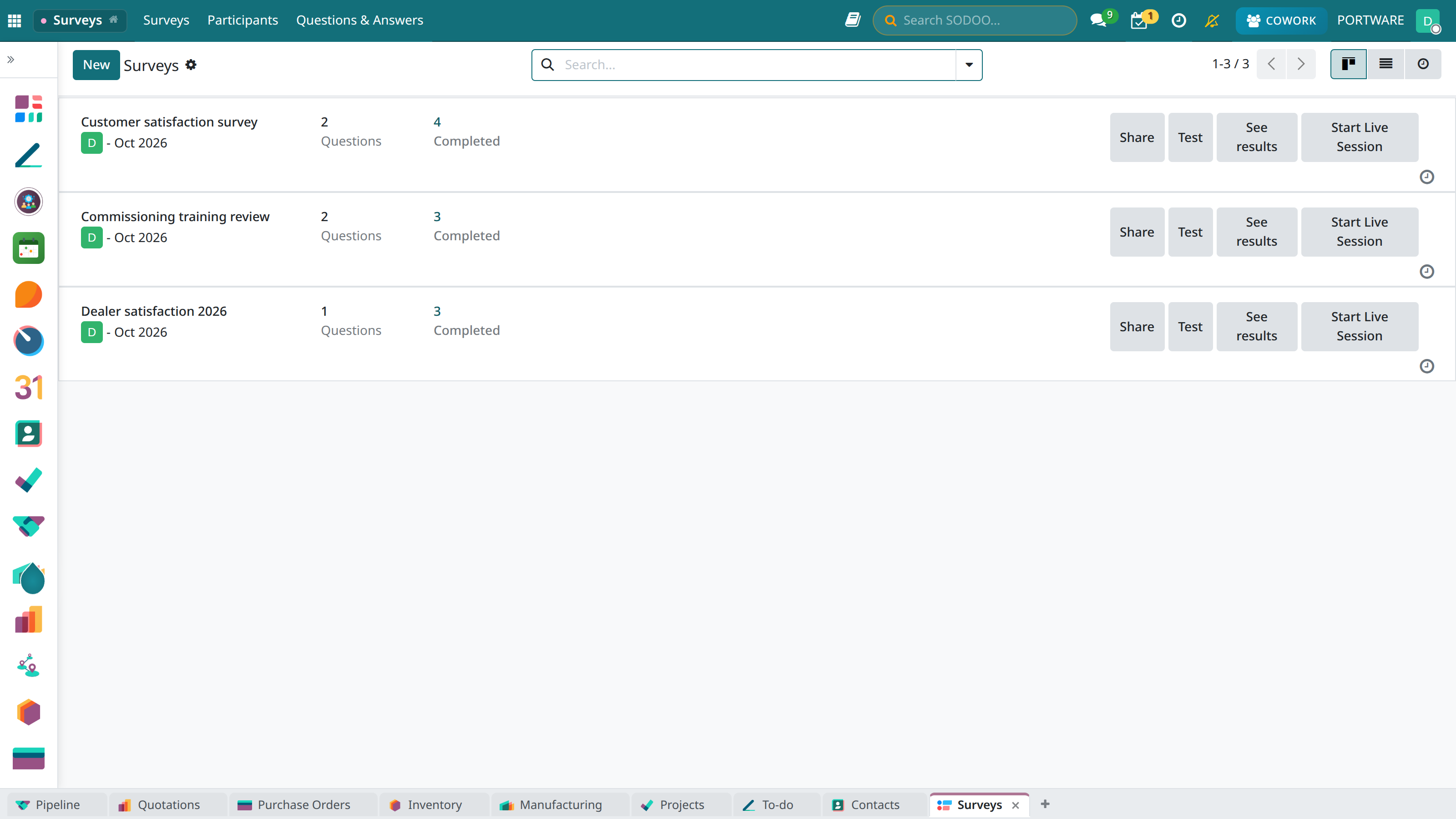
Survey list - an overview of all surveys
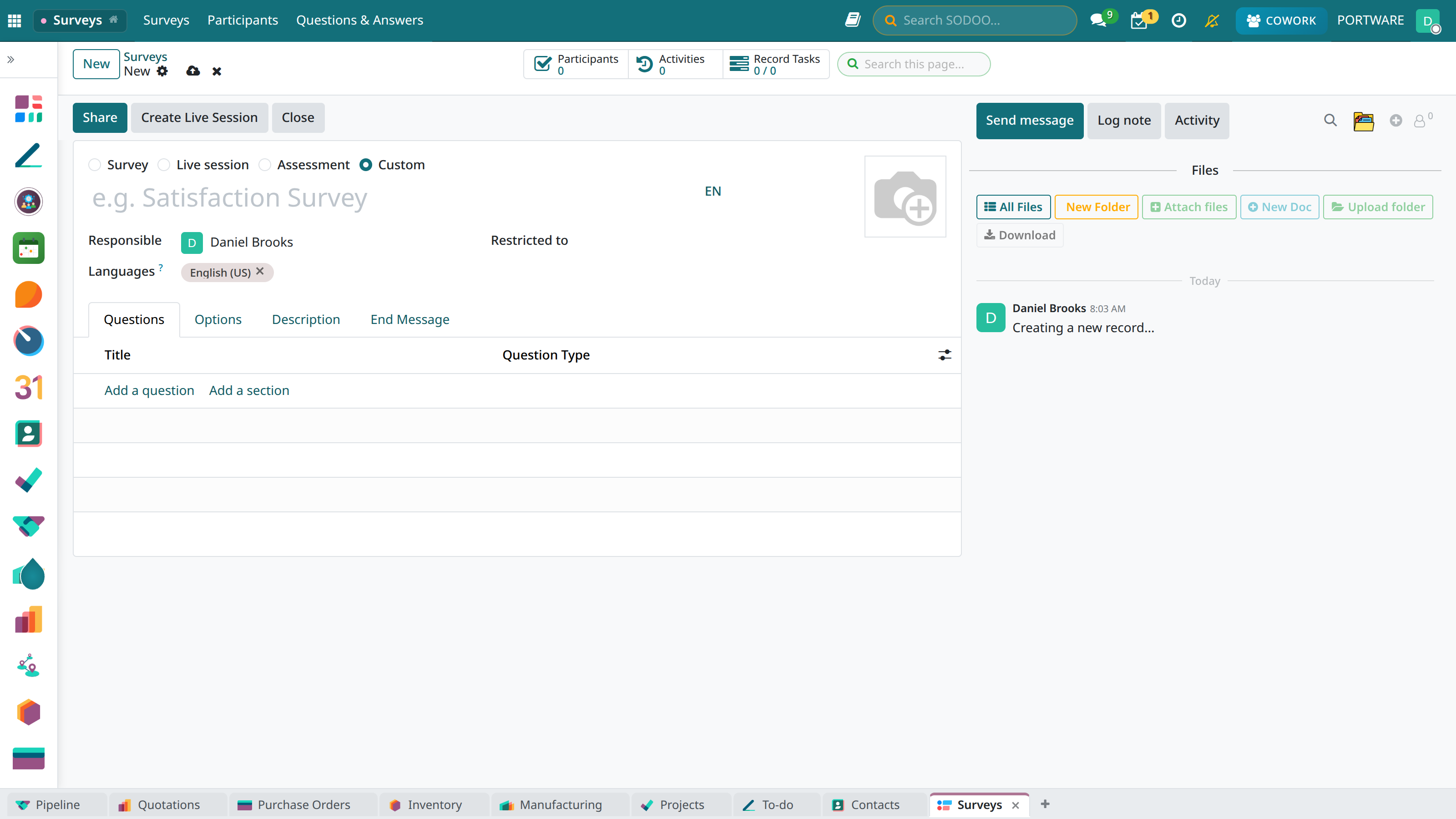
Creating a new survey - the question adding screen
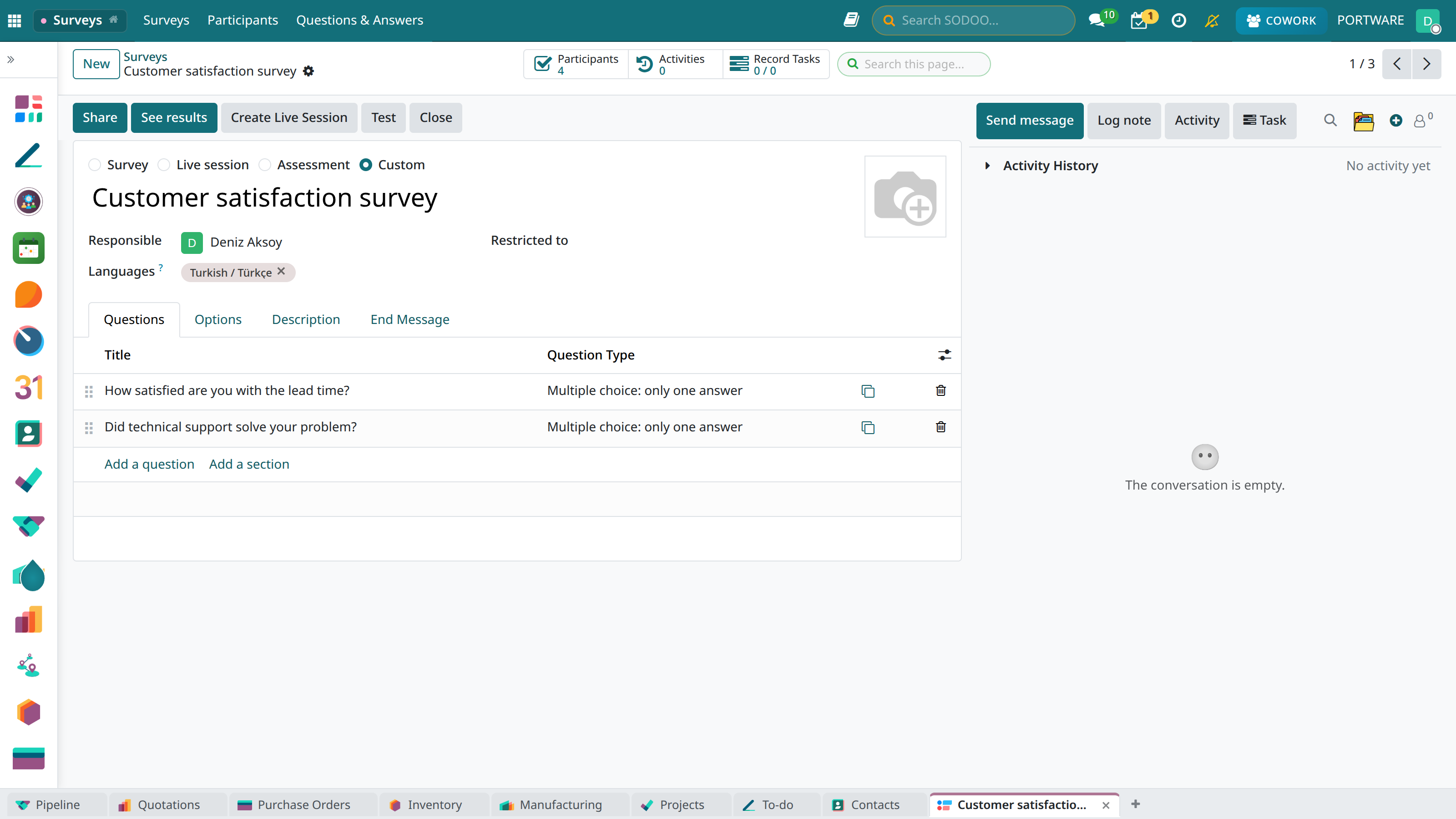
A survey — questions and question types; live session and share buttons at the top
Question Types
Example Survey
NPS (Net Promoter Score)
The standard metric for measuring customer loyalty:
The NPS Question
"How likely are you to recommend us to a friend or colleague?"
NPS Categories
- Detractors (0-6): Dissatisfied, negative word of mouth
- Passives (7-8): Satisfied but not loyal
- Promoters (9-10): Loyal, actively recommending
Calculating NPS
NPS = % Promoters - % Detractors
- -100 to 0: Improvement needed
- 0 to 30: Good
- 30 to 70: Very good
- 70 to 100: Excellent
Survey Distribution Methods
Sharing Options
- Direct link: Share a unique URL
- E-mail: Send with a mass e-mail campaign
- QR code: Create a QR code for mobile access
- Embedding on the website: Add it to your website with an iFrame
- Automatic trigger: After an order, when a support ticket is closed
Access Control
- Public: Anyone with the link can take part
- Registered users: Login required
- Invited: Only those invited by e-mail
- One-time: Each participant can answer once
Result Analysis
Survey Metrics
Analysis Features
- Per-question analysis: Distribution charts for each question
- Cross-tabulation: Correlation between questions
- Segment analysis: Comparison by demographic group
- Time series: Change in answers over time
- Text analysis: A word cloud for open-ended answers
Reporting
- PDF report: A detailed, presentation-ready report
- Excel export: For raw data analysis
- Dashboard: Real-time monitoring
Uses
Business Scenarios
- Customer satisfaction (CSAT): Feedback after sales/service
- Product feedback: New feature and improvement suggestions
- Employee satisfaction: Internal surveys
- Event evaluation: After a webinar or training
- Market research: Target audience analysis
- Lead qualification: Collecting prospect information
- Keep the survey short (5-10 questions is ideal)
- Put the most important questions first
- Avoid leading questions
- Use a mobile-friendly design
- Show a progress bar
- Add a thank-you page