Job Postings (Jobs)
SODOO Job Postings: how the application is used, screen by screen.
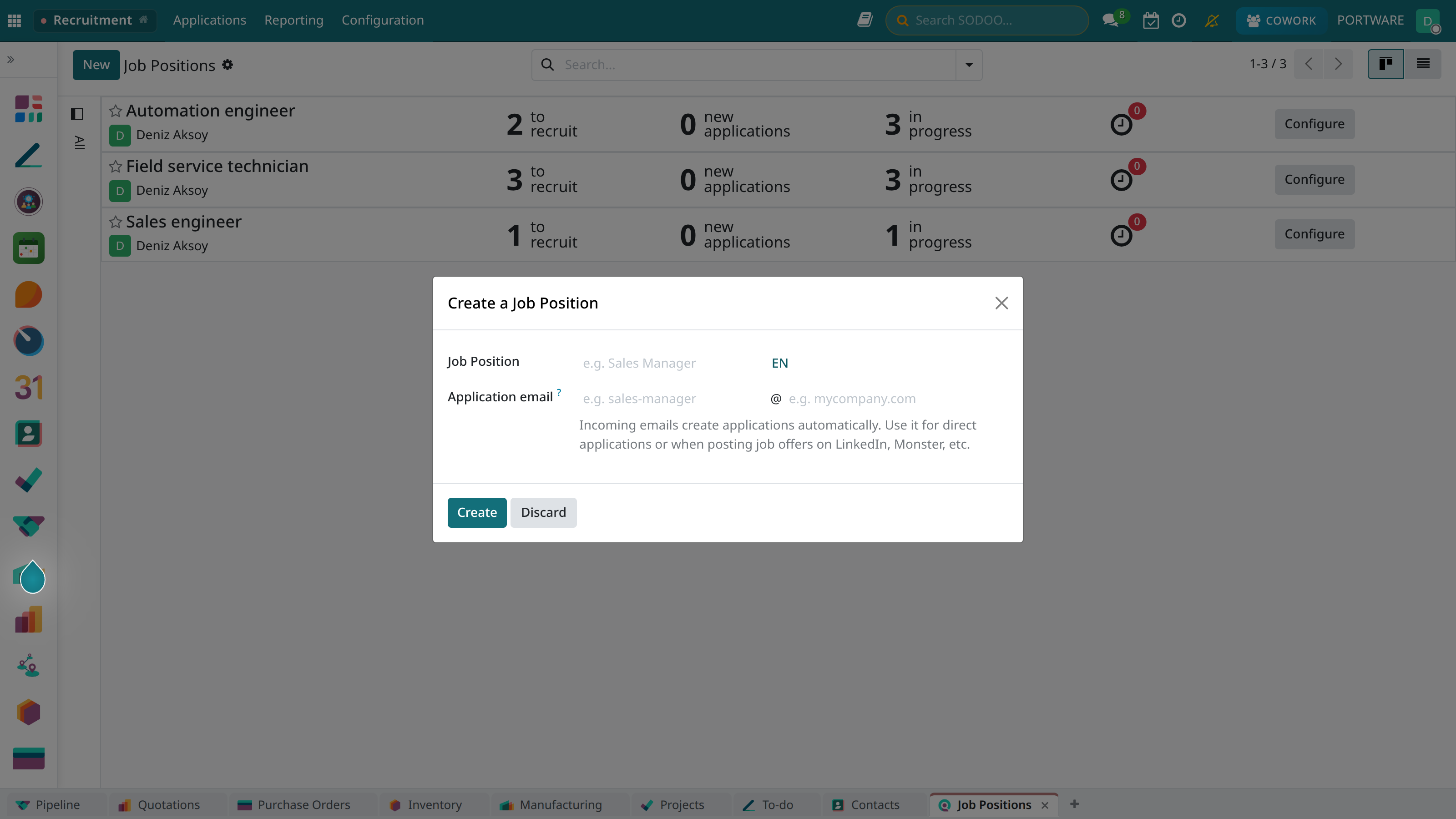
The job posting creation screen
Overview
The SODOO Job Postings module connects the Website and Recruitment modules. Showcase open positions on your careers page, create online application forms and manage all processes from one platform.
Publishing Postings
Stylishly designed job postings. SEO-friendly careers pages.
Application Form
Customisable forms. CV and portfolio upload.
Automatic Transfer
Applications are transferred straight to the Recruitment module.
Social Sharing
Automatic sharing to LinkedIn, Indeed and other platforms.
The Careers Page
A careers page integrated with the website builder:
- A company culture and values section
- Employee stories and testimonials
- Office photos and video
- A list of benefits and perks
- A list of open positions (updated automatically)
Page Templates
| Template | Description |
|---|---|
| Corporate | A professional, minimalist design |
| Modern | Dynamic animations and a colourful design |
| Startup | A friendly, energetic look |
Creating a Job Posting
Posting Details
- Position name: A clear, understandable title
- Department: The related team or division
- Location: Office, remote or hybrid
- Work type: Full-time, part-time, internship
- Experience: Junior, Mid, Senior, Lead
- Salary range: Optional display
Posting Content
Position Description
General information about the role and its responsibilities.
Duties
A list of daily work.
Requirements
The skills and experience sought.
Benefits
Advantages offered beyond salary.
Application Form
Create a customisable application form for each position:
Standard Fields
- Full name (required)
- E-mail (required)
- Phone
- CV upload (PDF, DOC)
- Cover letter / motivation letter
- LinkedIn profile
Custom Questions
Add position-specific questions:
- Questions with text answers
- Multiple-choice questions
- Yes/No questions
- File upload (portfolio, certificate)
The Application Process
Automatic E-mails
- Application received: An instant thank-you e-mail
- Evaluation: Process update
- Interview invitation: With calendar integration
- Rejection: A polite rejection e-mail
- Offer: Job offer notification
Integrations
Recruitment Module
All applications from the website are transferred automatically to the Recruitment module:
- A candidate card is created
- The CV and attachments are linked
- It is tracked on the kanban board
- Interview notes are recorded
External Platforms
| Platform | Integration |
|---|---|
| Sharing postings, Easy Apply | |
| Indeed | Automatic posting |
| Kariyer.net | Synchronisation with an XML feed |
| Google Jobs | Schema.org markup |
Reports
Source Analysis
The platforms applications come from and conversion rates.
Time Metrics
Average time to hire, stage durations.
Application Volume
Applications per position, trends.
Elimination Rates
Success/rejection rates at each stage.
SEO Optimisation
- Structured data for Google Jobs
- Keyword optimisation
- Social media preview cards
- A mobile-friendly design
- Fast page loading