SMS Marketing
Create mass SMS campaigns with the mass_mailing_sms module. Up to 98%
What You Will Learn in This Section
- Creating and sending SMS campaigns
- Character limits and cost optimisation
- SMS provider integration
- Delivery reports and analysis
Overview
Create mass SMS campaigns with the mass_mailing_sms module. Reach your customers instantly with open rates of up to 98%. Ideal for promotions, reminders and urgent notifications.
Instant Delivery
SMS messages reach recipients within seconds.
High Open Rate
The most effective channel with a 98% open rate.
Personalisation
Personal messages with dynamic fields.
Delivery Report
Real-time delivery status tracking.
Creating an SMS Campaign
Write the Message
→
Choose Recipients
→
Schedule
→
Submit
→
Analysis
Example SMS Message
Hello {{name}}, a 25% discount has started at SODOO! Don't miss it: sodoo.com/discount To opt out: reply STOP
Today 10:30
Steps to Create a Campaign
- Marketing → SMS Marketing → Mass SMS → New
- Enter the campaign name
- Write the SMS content (160 characters recommended)
- Add personalisation variables
- Set the recipient list or filters
- Send a test SMS
- Send immediately or schedule
The SMS Marketing Interface
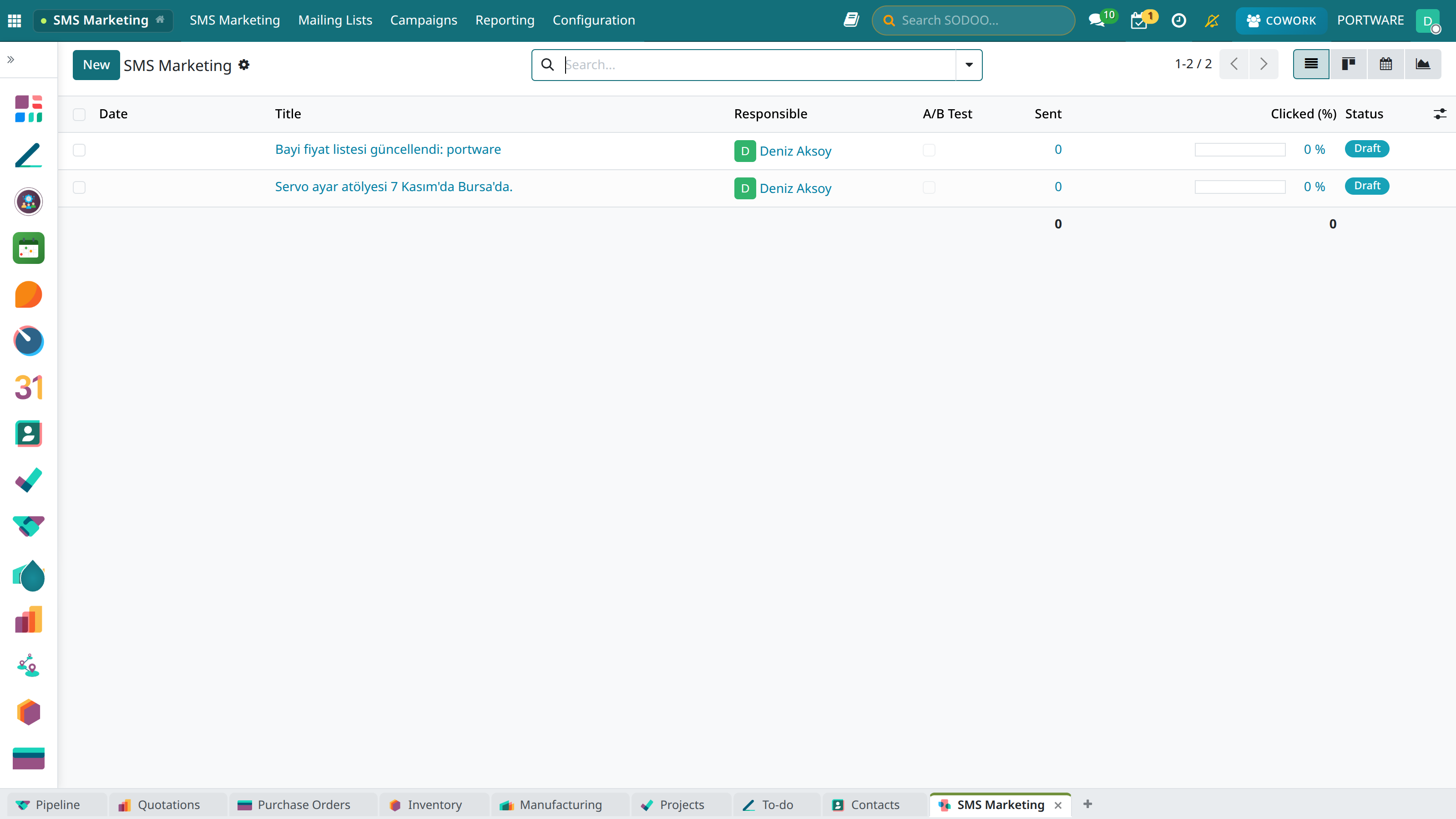
SMS marketing campaign list
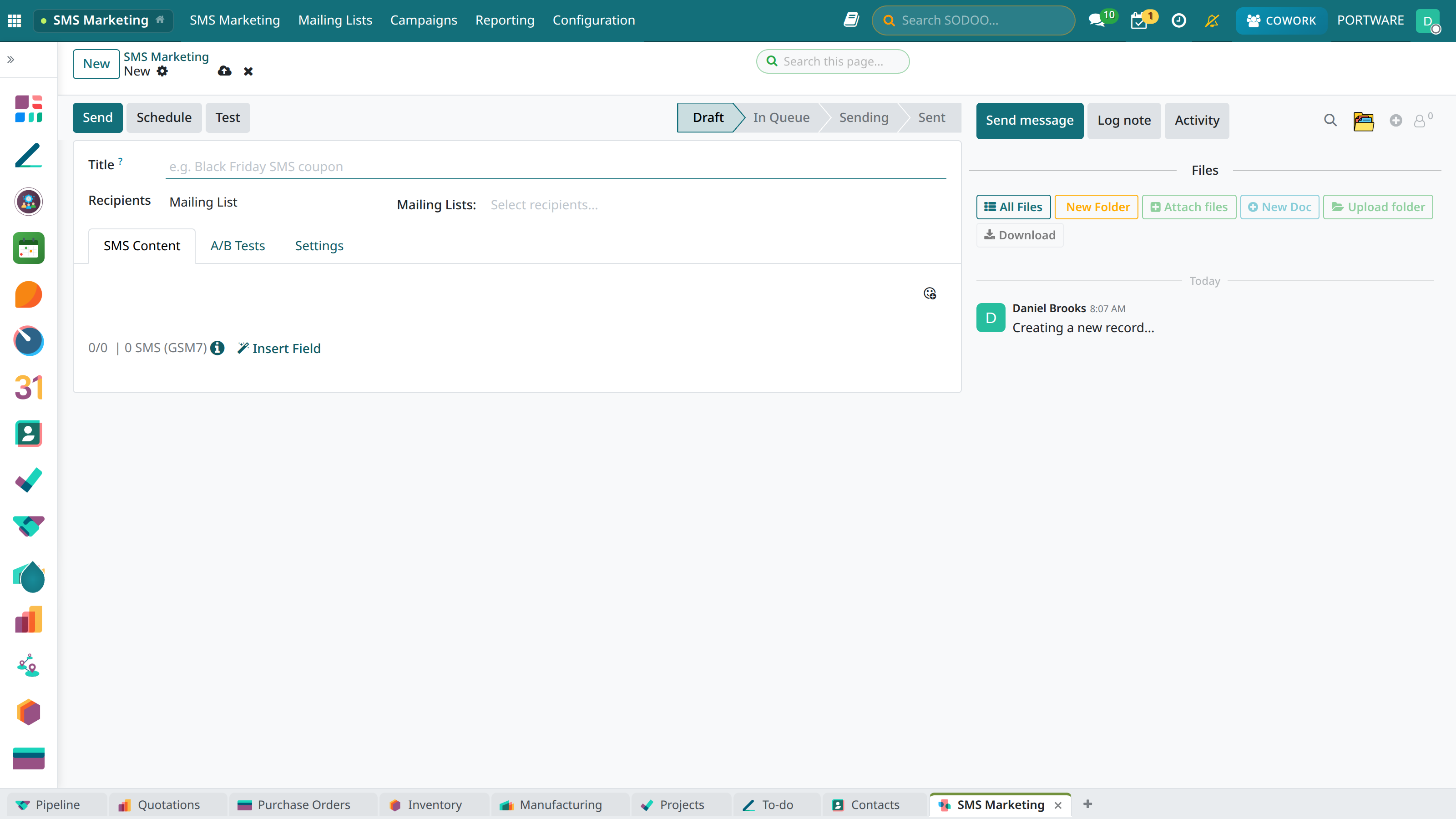
The screen for creating a new SMS campaign
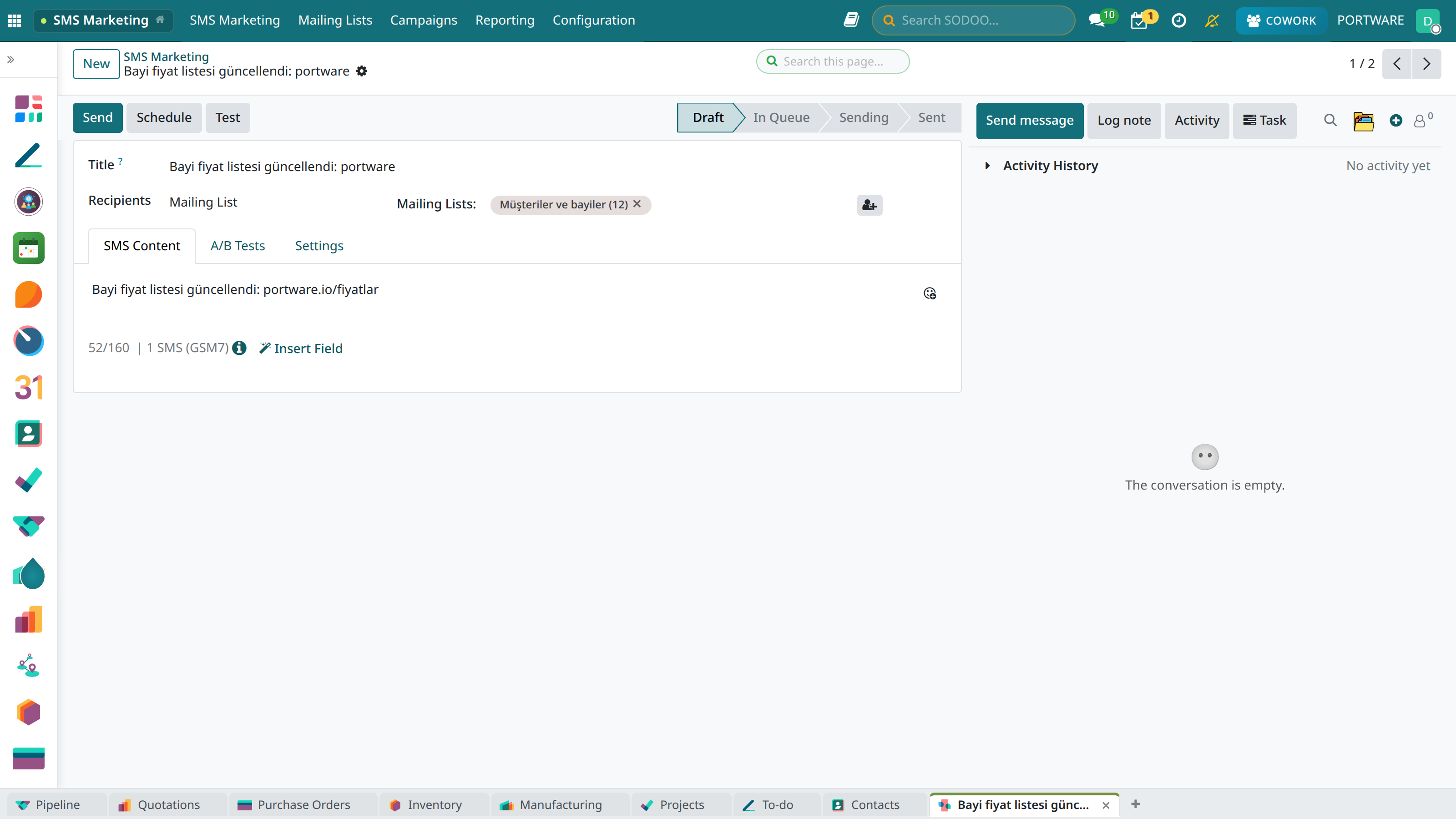
SMS campaign detail view - content and recipient settings
Character Limits and Cost
SMS Character Limits
| Character Set | 1 SMS | 2 SMS | 3+ SMS |
|---|---|---|---|
| GSM-7 (Standard) | 160 characters | 306 characters | 153 × n characters |
| Unicode (with Turkish characters) | 70 characters | 134 characters | 67 × n characters |
Important
Turkish characters (ş, ğ, ü, ö, ç, ı, İ) require Unicode and therefore reduce the number of characters per SMS. ASCII characters can be considered for cost optimisation.
Turkish Character Conversion
Automatic conversion option for cost optimisation:
ş → s,ğ → g,ü → uö → o,ç → c,ı → i
SMS Provider Integration
Supported Providers
- Twilio: Global SMS infrastructure
- Vonage (Nexmo): Enterprise SMS solutions
- İleti Merkezi: Local provider in Türkiye
- JetSMS: Local provider in Türkiye
- Netgsm: Local provider in Türkiye
Provider Configuration
- Go to the Settings → General Settings → SMS section
- Choose your SMS provider
- Enter the API key and credentials
- Set the sender ID (header)
- Verify by sending a test SMS
Info
In Türkiye an SMS sender header (e.g. "COMPANY") requires BTK approval. Complete the approval process with your SMS provider.
Performance Analysis
Campaign Metrics
98.5%
Delivery Rate
45.2%
Click Rate
0.5%
Opt-out Rate
Delivery States
- Sent: Passed to the SMS provider
- Delivered: Reached the recipient's device
- Pending: Delivery in progress
- Failed: Invalid number or error
- Rejected: The recipient rejected the SMS
Use Cases
Effective SMS Types
- Promotion: Discount and campaign announcements
- Reminder: Appointment, payment, delivery reminders
- Verification: OTP and security codes
- Notification: Order status, shipment tracking
- Survey: Measuring customer satisfaction
Example Message Templates
- Promotion: "Hello {{name}}, 30% off this weekend! Code: WEEKEND30"
- Reminder: "Your appointment: {{date}} at {{time}}. Cancel: 444 1 234"
- Shipping: "Your order has been shipped. Tracking: {{tracking_no}}"
Tips for Success
- Keep the message short and to the point (under 160 characters is ideal)
- Add a clear call to action (CTA)
- Always state the STOP opt-out option
- Send within business hours (09:00-21:00)
- Use link-shortening services
Legal Compliance
İYS (Message Management System)
In Türkiye, İYS registration is mandatory for sending commercial SMS:
- Explicit consent must be obtained from the recipient
- The consent must be registered in the İYS
- Every SMS must include a STOP opt-out option
- Sending between 22:00 at night and 08:00 in the morning is prohibited
Warning
Sending commercial SMS without İYS registration carries an administrative fine of up to 50,000 TL. Check your SMS provider's İYS integration.