Events
SODOO Events: how the application is used, screen by screen.
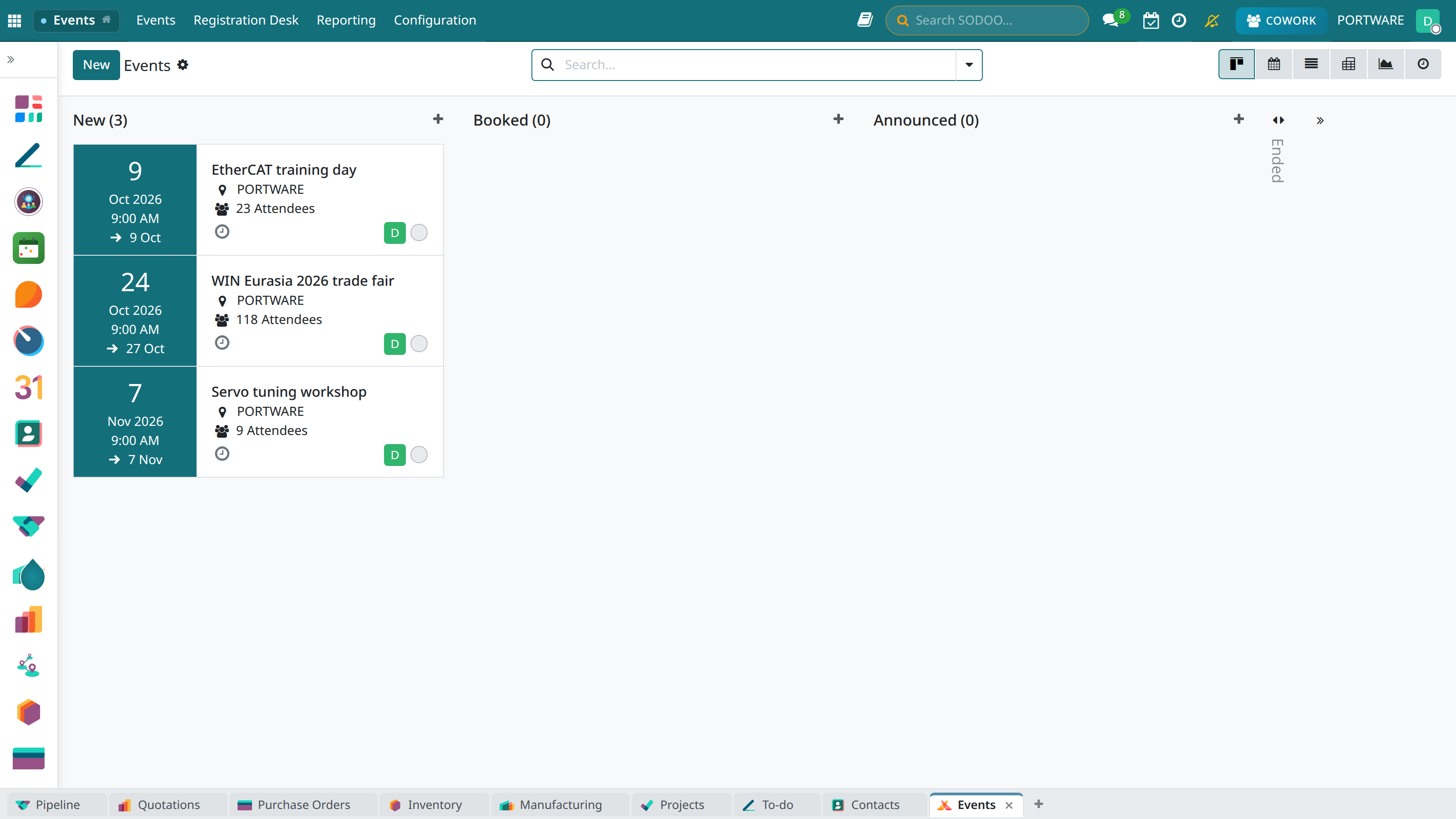
The events kanban view
Overview
The SODOO Events module lets you organise every kind of event. It includes ticket sales, registration forms and attendee management for in-person or online events.
Ticket Sales
Different ticket types and pricing. E-commerce integration.
Registration Management
Online registration form, confirmation system, waiting list.
Online Events
Webinar integration, live streaming, watching recordings.
Reporting
Attendance statistics, revenue reports, trend analysis.
Creating an Event
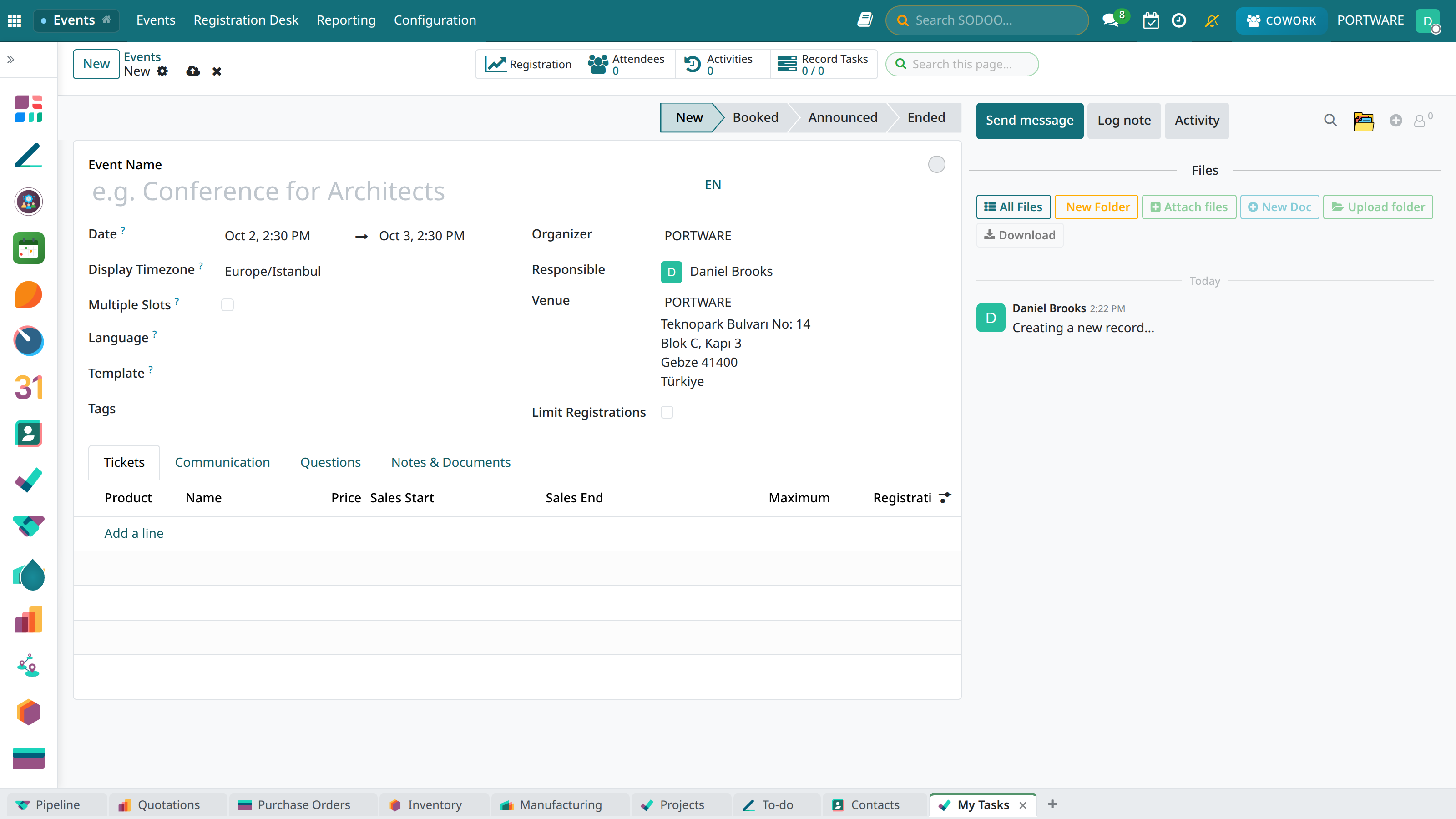
The new event form
Event Types
| Type | Description | Example |
|---|---|---|
| Conference | Large multi-session events | Annual meeting, summit |
| Seminar | Presentations for training purposes | Product introduction, workshop |
| Webinar | Online live events | Demo, training |
| Networking | Social gatherings | Happy hour, meetup |
Event Settings
- Date and time: Start, end, time zone
- Location: A physical address or an online platform link
- Capacity: The maximum number of attendees
- Registration: Open, approval required, invitation only
- Fee: Free or paid tickets
Ticket Types
You can define different ticket options for each event:
VIP Ticket
Includes special seating, networking and a gift pack.
Standard Ticket
Basic event access.
Early Registration
A discounted price until a set date.
Group Ticket
A special price for bulk registrations.
Online Events
Integrated solutions for webinars and online events:
- Zoom integration: Automatic meeting creation and link sharing
- YouTube Live: Live streaming and recording
- Jitsi Meet: Open-source video conferencing
- Sharing recordings: Video access after the event
Registration Management
The Registration Process
- The visitor sees the event page
- They choose the ticket type
- They fill in the registration form
- They pay (if the event is paid)
- They receive a confirmation e-mail
- They receive event reminders
Attendee States
| State | Description |
|---|---|
| Approved | Registration complete, attendance confirmed |
| Pending | Awaiting confirmation or on the waiting list |
| Attended | Checked in at the event |
| Cancelled | The registration was cancelled |
Check-in
To record attendees on the event day:
- QR code: Quick scanning with the mobile app
- Manual: Ticking off from the name list
- Self-service: Attendee check-in in kiosk mode
- Badge printing: Automatic name tags
Reports
Registration Analysis
Registration sources, ticket distribution, time trend.
Revenue Report
Ticket sales, refunds, net revenue.
Attendance Rate
Registration vs attendance comparison.
Satisfaction
Post-event survey results.
Integrations
- E-commerce: Ticket sales and payment
- E-learning: Certificates for training events
- CRM: Lead creation and follow-up
- E-mail Marketing: Invitations and reminders
- Calendar: Event scheduling