Lesson 7 · Permissions
Four PLM levels, the separate release right, a who-can-do-what matrix and access nodes.
Goal of this lessonTo know who can do what: the four PLM levels, the separate release right and the access nodes that separate documents by department.
Four levels and the release right
- Readonly (OdooPLM - PLM Integration Readonly): sees released and under-modify parts and documents only.
- View (OdooPLM - View User): reads all PLM data, changes nothing.
- Integration (OdooPLM - Integration User): creates and edits parts and documents, saves from CAD, confirms parts, prepares change orders.
- Admin (OdooPLM - Administrator): everything; the Configuration menu, access nodes, MCP keys and deciding change requests.
- The release right (OdooPLM - PLM / Release Users) is not a level but a separate group: Release Component, Apply a change order and decide a request. Unreleasing (OdooPLM - Unrelease User) is another, even narrower right.
Step by step
Give a user a PLM level
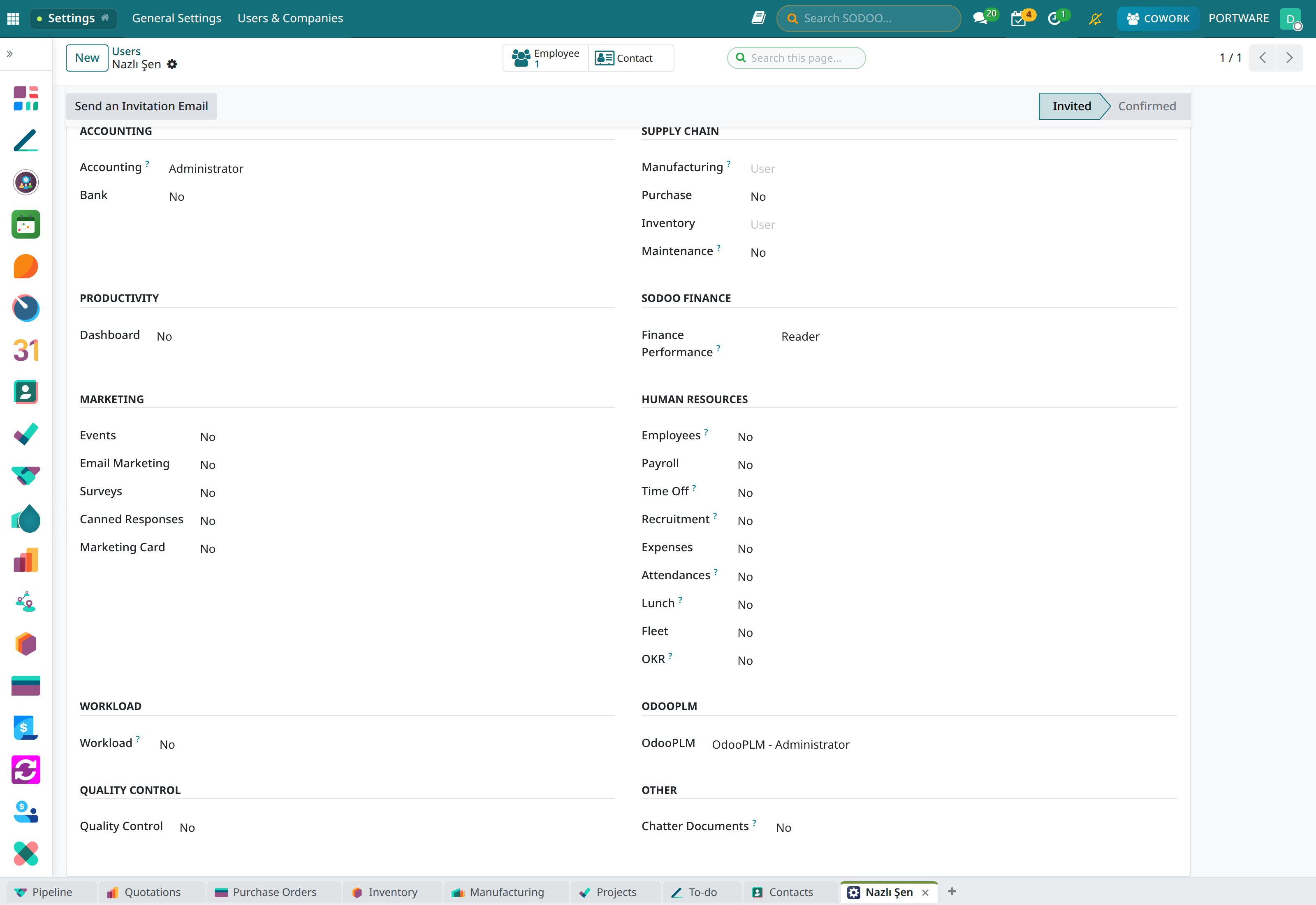
Open the user under Settings › Users & Companies › Users; in the ODOOPLM section of the Access Rights tab choose the level. The release right is a separate group; the system administrator adds it.
 1
1- The ODOOPLM section: Nazlı Şen's level is “OdooPLM - Administrator”.
Separate documents by department
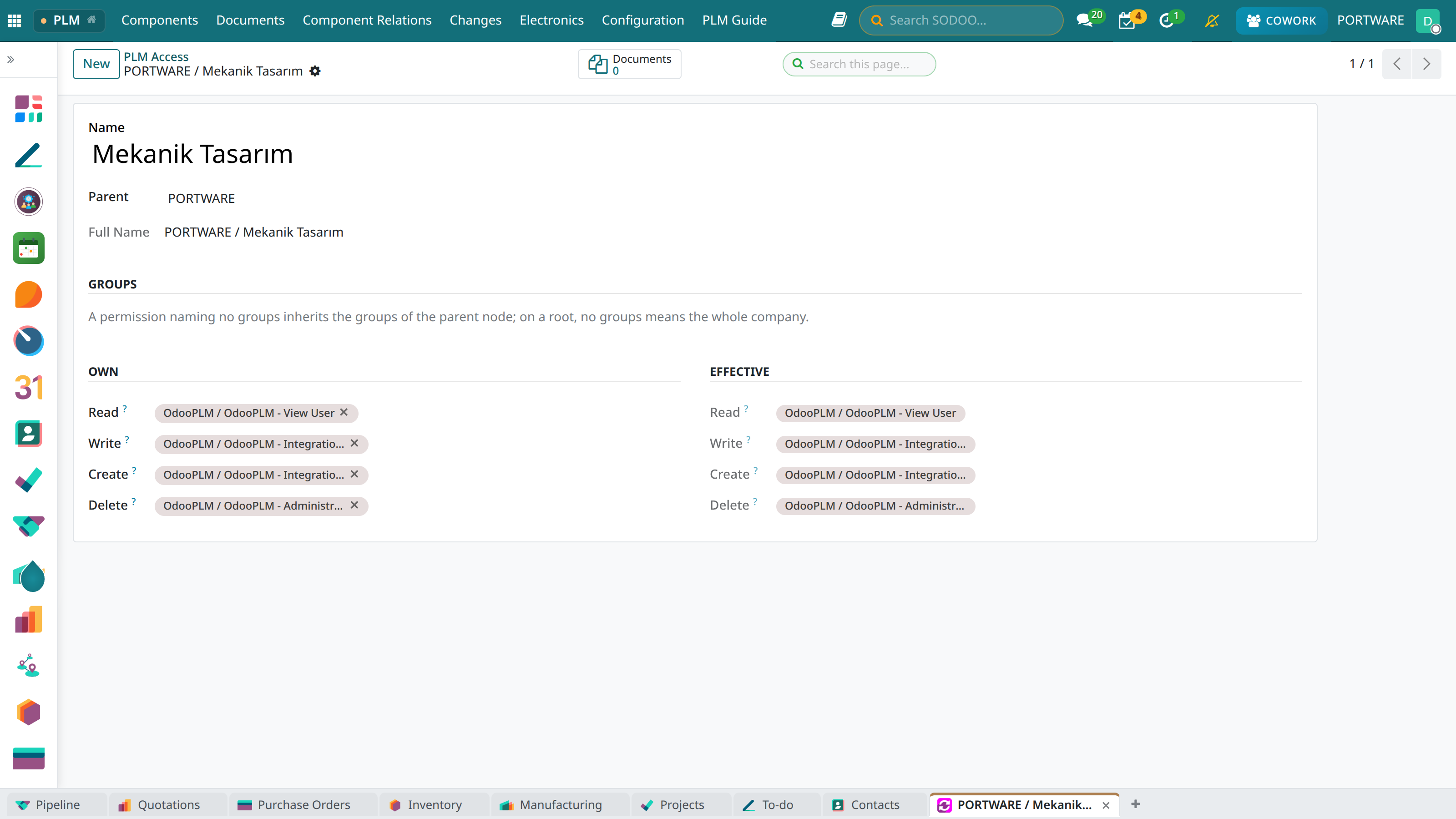
Configuration › PLM Access nodes form a tree: the root is the company itself, the children are departments. Each node names the groups for read, write, create and delete; one that names none inherits from its parent.
 123
123- Parent: PORTWARE (the company's root).
- Write: Integration users only.
- Effective read: who is really allowed once inheritance is resolved.
Caution: keep the release right narrow
A release makes the part valid for purchasing and production. Give this right to the few people who check designs; designers do not release their own work. Raising a change request, on the other hand, is open to everyone: whoever sees the problem first must be able to record it.
Mini case: Kerem cannot release
- Situation
- Kerem Tunç confirmed the cover but does not see Release Component.
- Why
- Kerem is at Integration level without the release right. A designer does not release their own work.
- The right path
- Nazlı Şen (Admin + Release) checks it and applies the change order.
Check yourself
Which level do you give a designer?
Integration User: saves from CAD, edits parts and documents, confirms parts.
Who may decide a change request?
A PLM administrator or a release user.
What does an access node with no groups mean?
It inherits its parent's groups; if the root names none either, the whole company has access.