Lesson 8 · PLM with Cowork
Asking Cowork PLM questions, answers from live data and the approval card; MCP keys for external clients.
Goal of this lessonTo ask Cowork PLM questions in your own words, get answers from live data and have it act through an approval card.
SODOO Cowork knows both the PLM data and the PLM method. It reads live records with your rights and never shows you what you could not see yourself. Every action that changes data — raising a change request, for instance — first comes as an approval card and is not done until you approve it.
Step by step
Open Cowork and ask
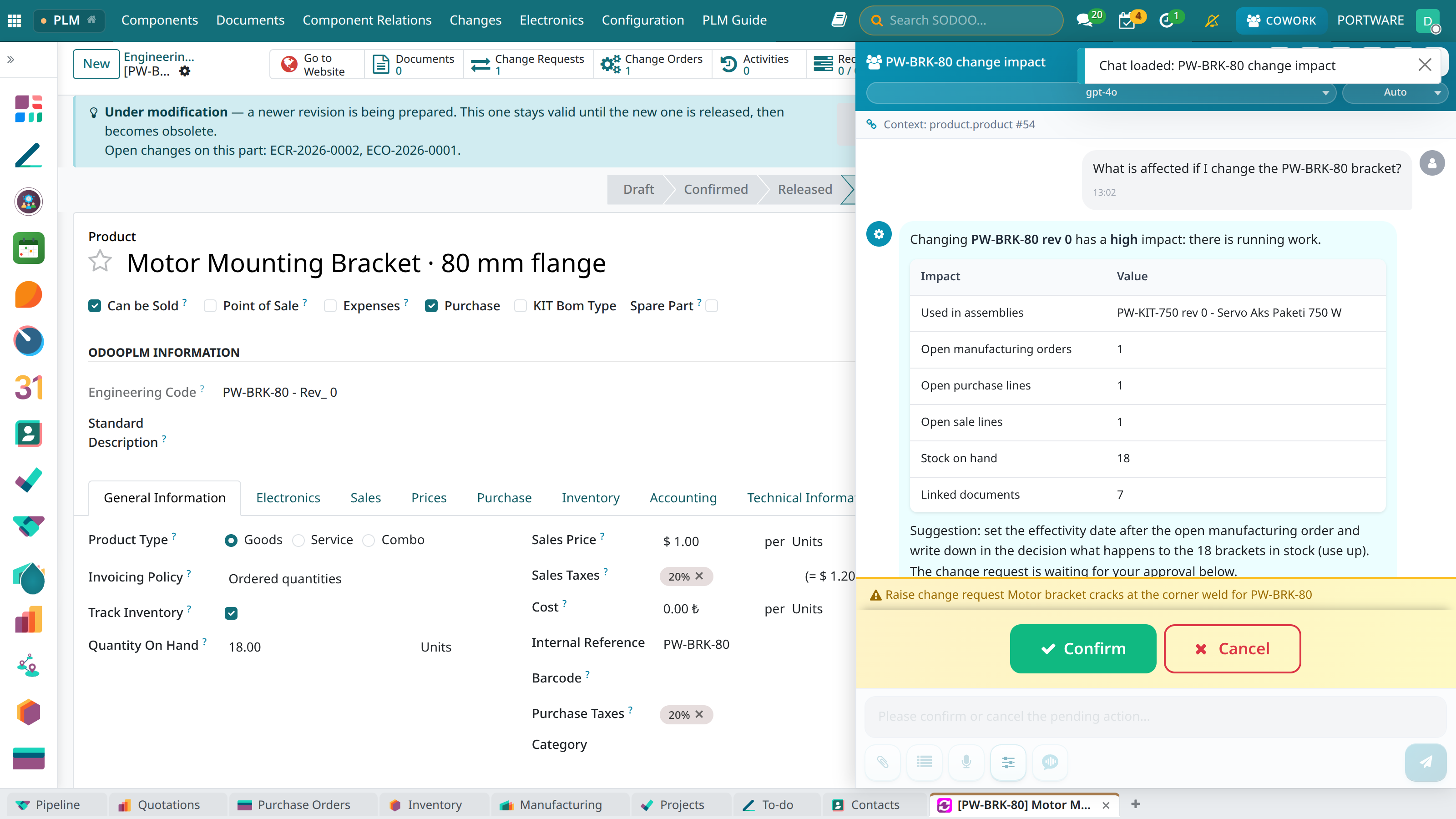
The COWORK button in the top bar opens the panel; the record you have open (here the bracket) becomes the conversation's context. Write or say the question in your own words.
 123
123- Question: “What is affected if I change the PW-BRK-80 bracket?”
- The answer table: the impact analysis's own live numbers.
- Confirm: the change request opens only once you approve.
A key for external AI clients
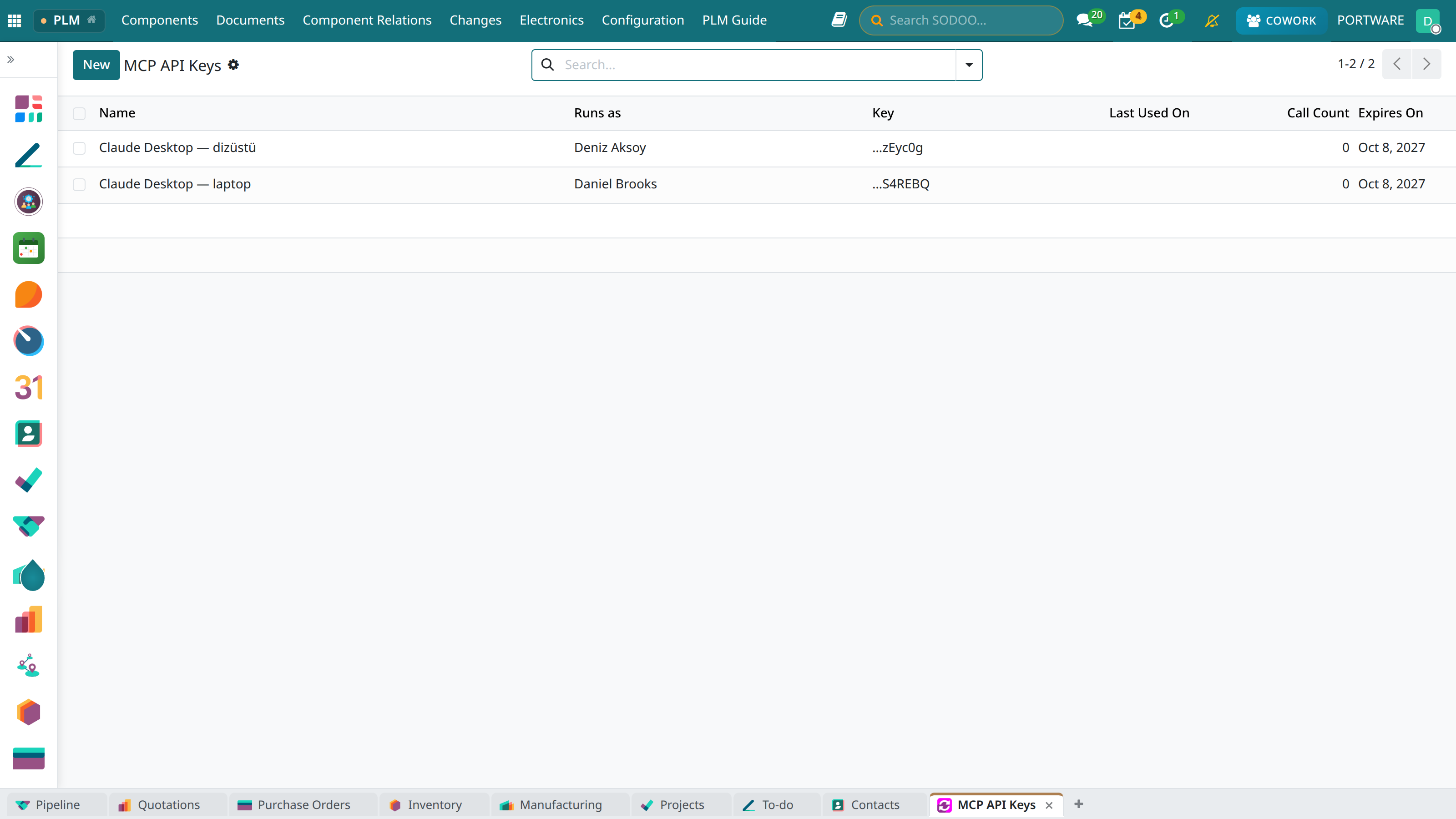
Clients such as Claude Desktop reach the same PLM tools through the PLM MCP server. Create a key under Configuration › MCP API Keys; it is shown once, at creation, and runs with the rights of the user you choose.
 123
123- Runs as: tool calls run with this user's PLM rights.
- The key's last characters, to tell keys apart (column header on screen: “Key”).
- Expires On: after this date the key stops working.
Example questions
- “Where is PW-SCR-M6 used?”
- “What is affected if I change the PW-BRK-80 bracket?”
- “Which parts of PW-KIT-750 have no drawing?”
- “What was released this week?”
- “Raise a change request for PW-PIN-6: the tolerance should be m6.”
- “Explain the difference between an ECR and an ECO.”
Mini case: five minutes before the meeting
- Who
- Nazlı Şen, before the change board.
- Question
- “Which requests are waiting for a decision, and what is their impact?”
- Answer
- Cowork lists the requests and their impact levels; at the board Nazlı opens the request directly.