Marketing Automation Enterprise
Automate customer journeys with the marketing_automation module. Send e-mail and SMS on specific triggers, score leads and assign tasks to the sales team. All of this without code…
- Creating automation campaigns
- Defining triggers and conditions
- Lead nurturing flows
- Measuring campaign performance
Overview
Automate customer journeys with the marketing_automation module. Send e-mail and SMS on specific triggers, score leads and assign tasks to the sales team. Do all of this without writing code, with the visual workflow editor.
Visual Workflow
Build campaign flows by drag and drop.
Automatic Triggers
Start actions based on user behaviour.
Conditional Branching
A/B tests and segment-based routing.
Conversion Tracking
Measure conversion rates at every step.
Automation Campaign
Example Workflow: Welcome Series
New Sign-up
Welcome E-mail
Wait 3 Days
Product Introduction
Steps to Create a Campaign
- Marketing → Automation → Campaigns → New
- Choose the campaign name and target model (Contact, Lead, etc.)
- Set the trigger conditions
- Build the activity sequence
- Set the waiting times
- Launch the campaign
Triggers
Events that start the automation flow:
Record Creation
When a new lead, contact or customer is added
Field Change
When a specific field is updated
Adding Tags
When a tag is added to the record
Stage Change
When the pipeline stage changes
E-mail Open
When a sent e-mail is opened
Link Click
When a link in the e-mail is clicked
Website Visit
When a specific page is visited
Date-Based
Birthday, anniversary, etc.
Actions
Operations to perform after the trigger:
Send E-mail
Start an automatic e-mail campaign
Send SMS
Send a text message notification
Create Task
Assign an activity to the sales team
Add Tag
Add a tag to the record automatically
Update Score
Increase/decrease the lead score
Change Stage
Update the pipeline stage
Update Field
Change fields on the record
Start Sub-Flow
Trigger another automation
Marketing Campaign Cards
Manage and monitor campaign flows visually.
Marketing campaign cards - overview
List of active marketing campaigns
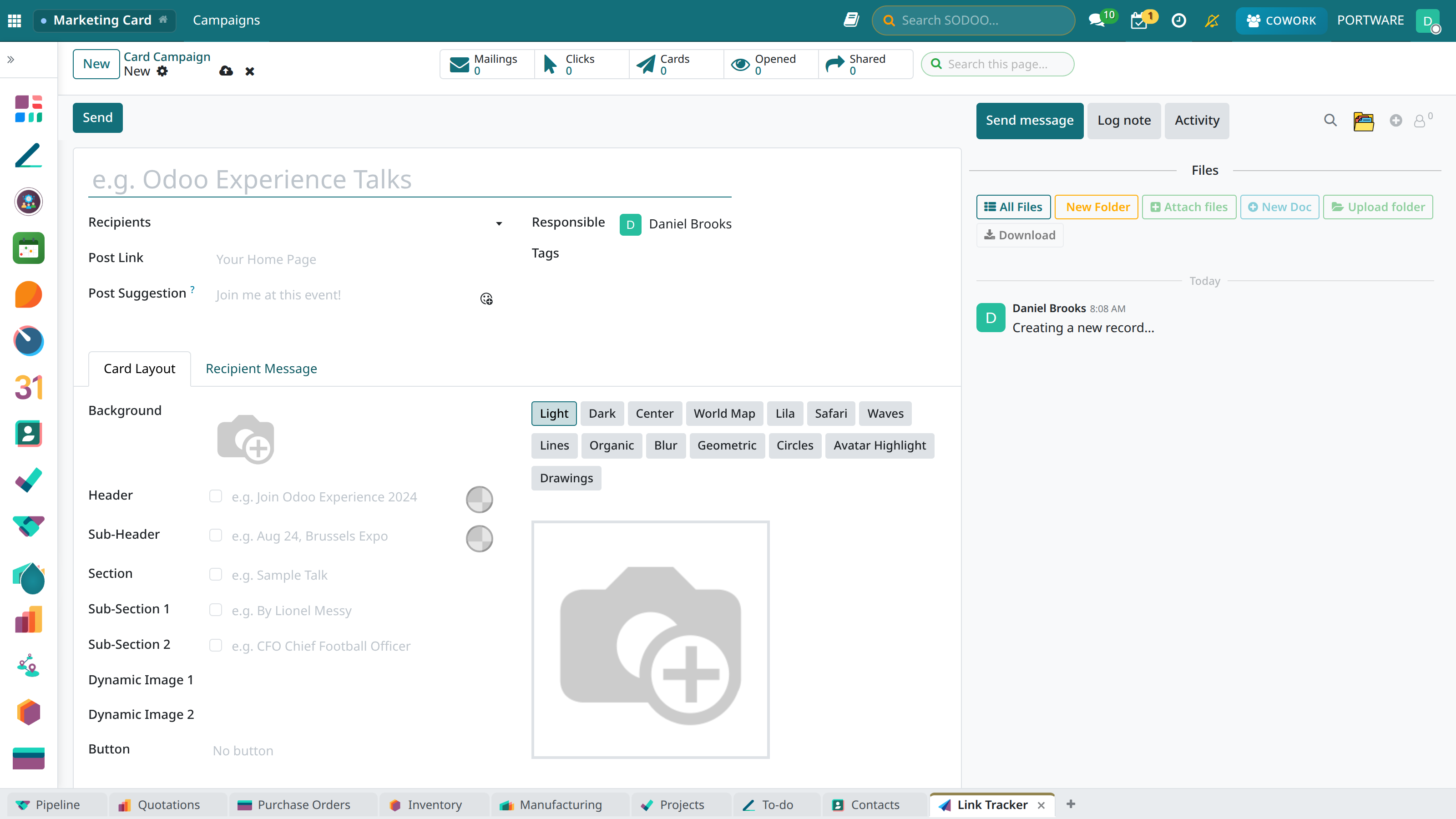
Creating a new marketing campaign
Campaign editing and flow design
Lead Nurturing
Make prospects sales-ready:
Nurturing Strategies
- Welcome series: Introduce new sign-ups (3-5 e-mails)
- Education series: Inform about the product/service
- Re-engagement: Win back passive leads
- Upsell/Cross-sell: Suggestions for existing customers
- Cart abandonment: E-commerce abandonment reminders
Lead Scoring
Update lead scores dynamically with automation:
- +10 points: Opened an e-mail
- +25 points: Clicked a link
- +50 points: Visited the pricing page
- +100 points: Requested a demo
- -20 points: No interaction for 30 days
A/B Testing
Test different variants in automation flows:
Testable Items
- E-mail content: Different message variants
- Subject line: Optimise the open rate
- Send time: Find the best hour
- Waiting time: Timing of the follow-up e-mail
- CTA: Button colour, text
Test Configuration
- Add a branching point in the workflow
- Set the variant ratios (e.g. 50%/50%)
- Define different actions for each branch
- Collect enough data (min. 1000 people recommended)
- Determine the winning variant
Reporting and Analysis
Campaign Metrics
- Participants: Total people entering the flow
- Active: People still in the flow
- Completed: People who finished the flow
- Conversion: Those who performed the target action
- Exit: Those who left the flow
Step-by-Step Analysis
For each workflow step:
- Transition rates (funnel view)
- Average waiting time
- Bounce/unsubscribe rates
- A/B test results
- Start simple, add complexity gradually
- Set a clear goal at every step
- Avoid sending too many e-mails (max 2-3 per week)
- Always define exit conditions
- Review and optimise performance regularly