HR Dashboard
HR: my page (profile, check in/out, time off, attendance, expenses, tasks) and the HR management dashboard
What you will learn
- Reading your HR page and checking in/out
- Using the HR management dashboard
- Going from figures to leave, attendance and expense records
Overview
The HR: my page dashboard is in the Human resources section of the SODOO Dashboards app (the old SODOO HR Dashboard menu was removed; it opened the same page). The page shows only your own records: a profile card (job title, department, manager, start date and seniority), the leave days you took in the period, the hours you worked and logged on timesheets, your expenses waiting for payment; your payslips and your hours by project; below them your time off, attendance records, expenses and tasks, and at the bottom upcoming birthdays, announcements and events.
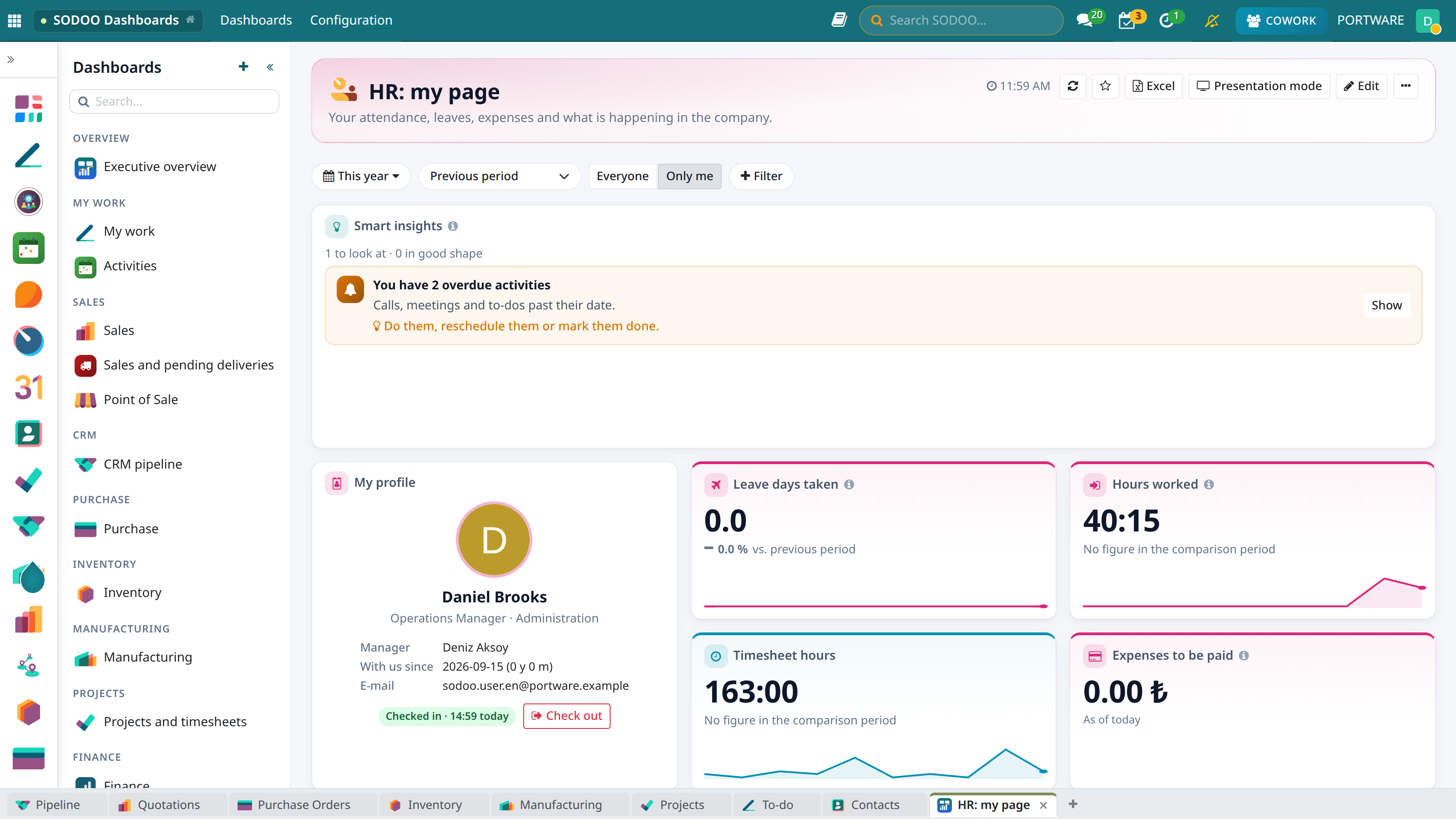
HR: my page - profile, check in/out and the period's figures
Check In / Check Out
The Check in and Check out buttons of the profile card write to the Attendances app; the card shows today's working time as hh:mm. Hours read hh:mm in the tables too, so a KPI and a table total show the same figure the same way.
HR Management
HR users also see the HR management dashboard in the list on the left: headcount, people on leave today, time off requests to approve, leave days taken; employees by department, time off by type and month, attendance and timesheet hours by employee, expenses by status and upcoming time off. The contents of the old HR dashboard are here too: attrition (resignations confirmed in the period as a share of headcount), contracts ending in 60 days, payslips, expenses to approve, contracts started and resignations by month, skills, leave days by department × month and the Bradford factor, which brings frequent short absences forward. The Department filter at the top applies to every widget. Both pages open with Smart insights: time off waiting for approval and overdue activities, each with what to do.
Tips
- Click a figure: the leave, attendance or expense records behind it open.
- Change the period with the This year button of the filter bar.
- To make the page your own, use ⋯ → Copy as my own; details in the SODOO Dashboards guide.