Lesson 3 · The life cycle of a part
Draft, Confirmed, Released, Under Modify and Obsoleted: each move's button and right.
Goal of this lessonTo move a part through its five life-cycle states with the right button and the right right.
Step by step: the life of a part
Draft: the design is open
The part is edited freely; drawings and CAD files are attached, the BoM is built. When done, Confirm Component.
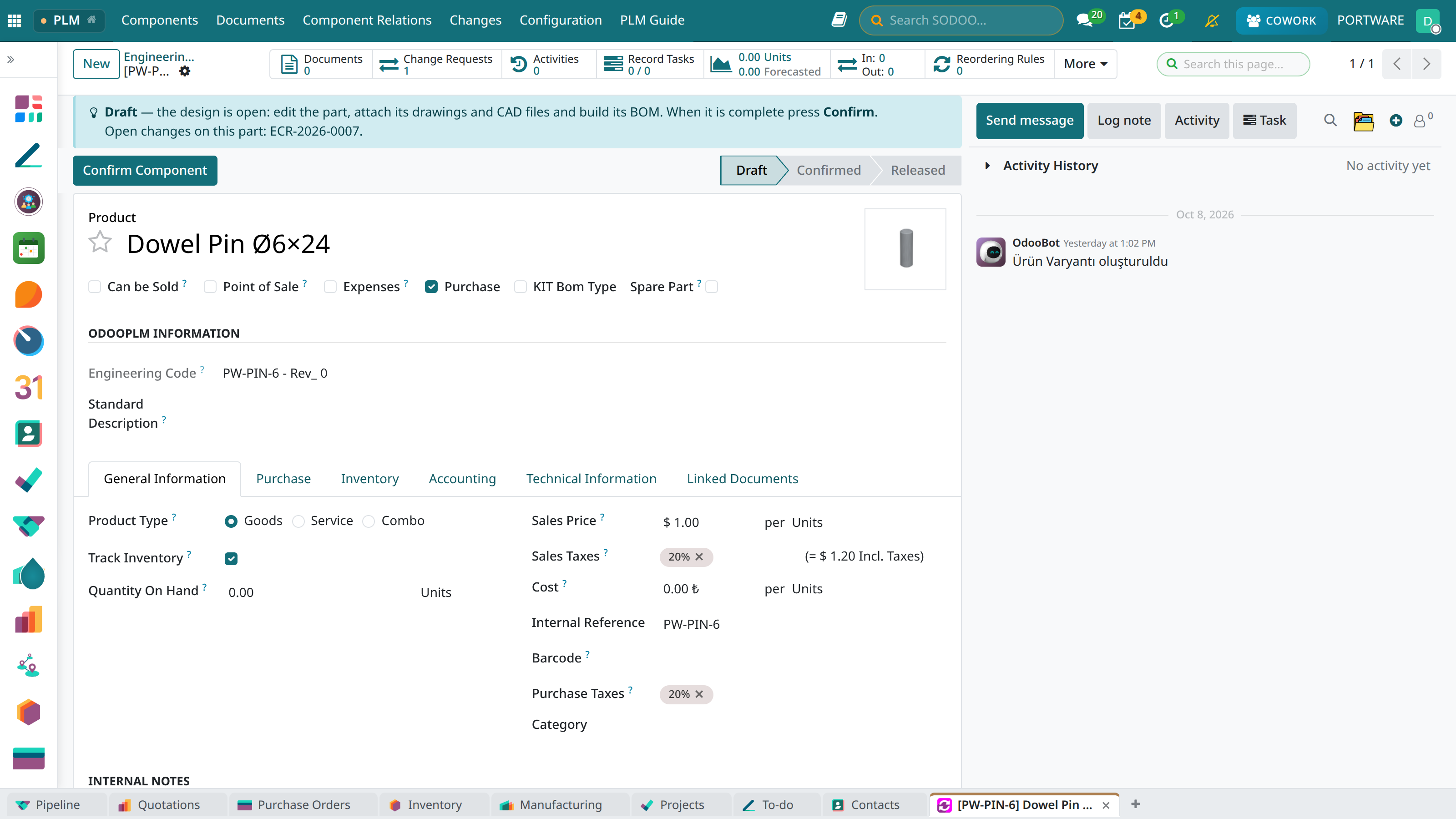 12345
12345- Guide box: “the design is open… then Confirm”.
- State: Draft.
- Confirm Component
- Part number.
- Counters.
Confirmed: waiting for release
The design is finished; a release user checks it. Release Component is shown to release users only; Correct Component sends the part back to draft.
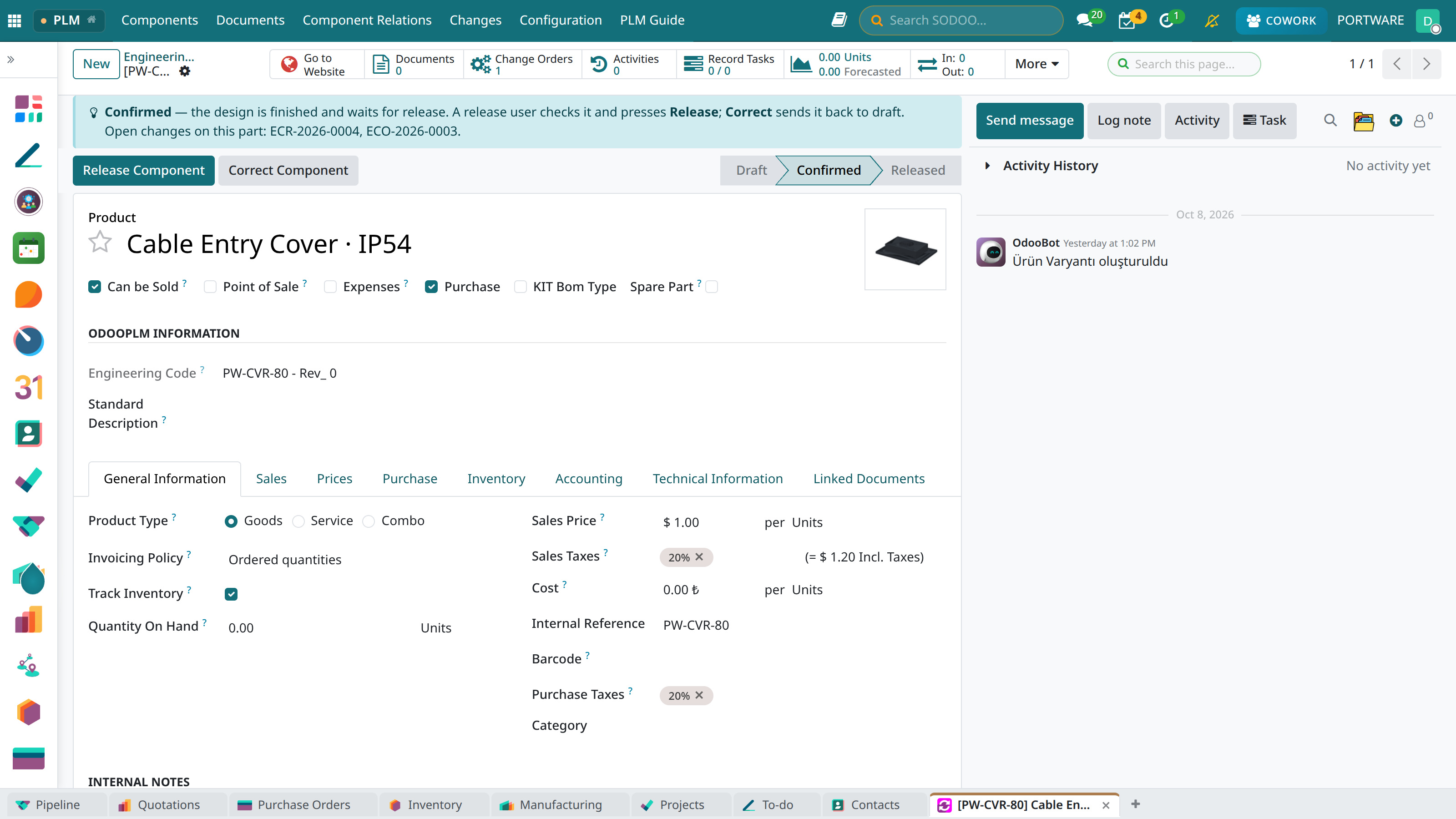 1234
1234- Release Component: the part becomes Released.
- Correct Component: the part goes back to Draft.
- State: Confirmed.
- Guide box and the open changes on this part.
Released: valid and locked
Purchasing and production work only with the released part. To change it, Request a Change.
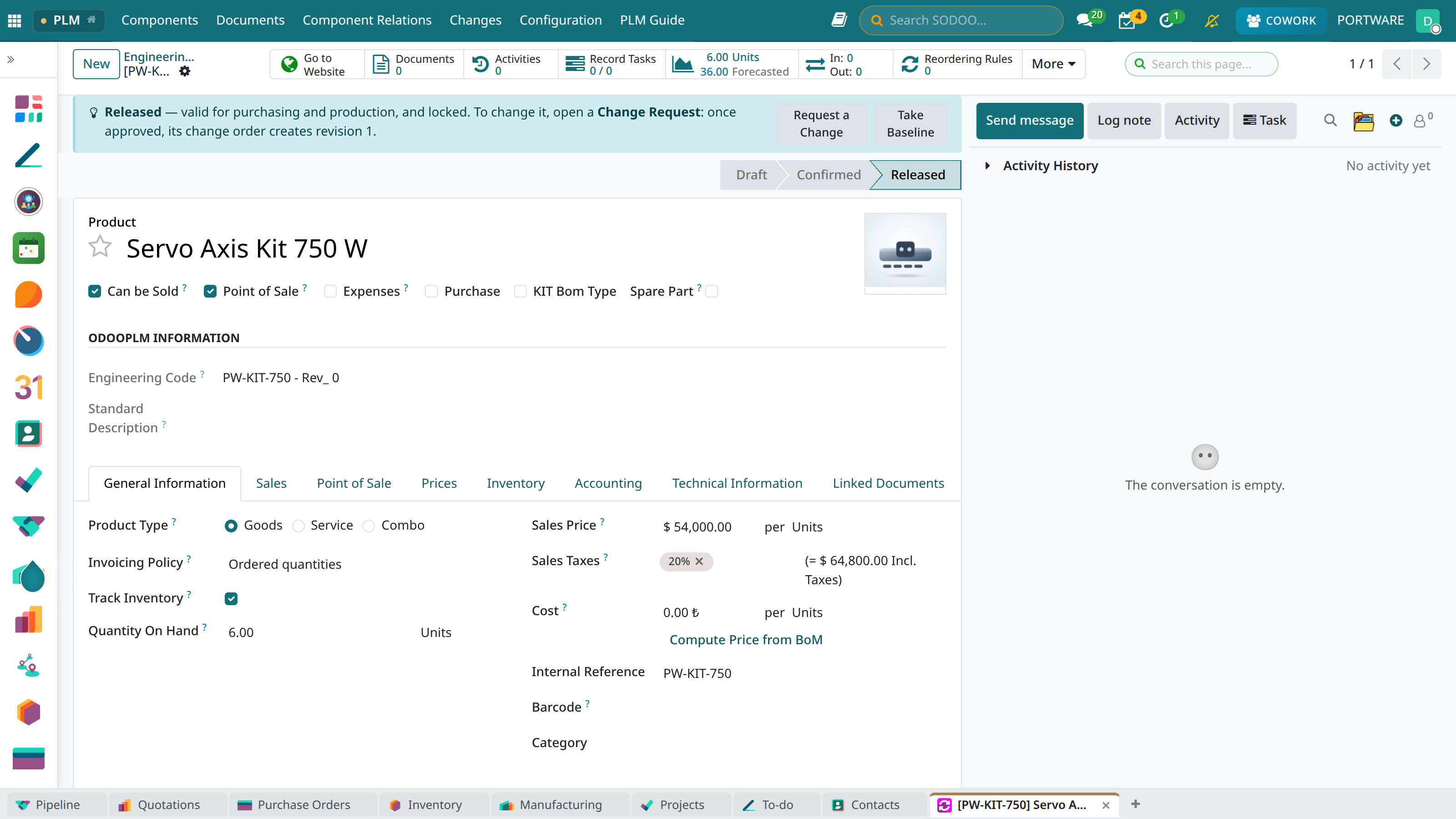 12345
12345- State: Released.
- Guide box.
- Request a Change
- Part number.
- Take Baseline
Under Modify: a new revision is in work
When a change order starts, this revision becomes Under Modify; it stays valid until the new one is released. The guide box names the open request and order, so nobody opens a second one.
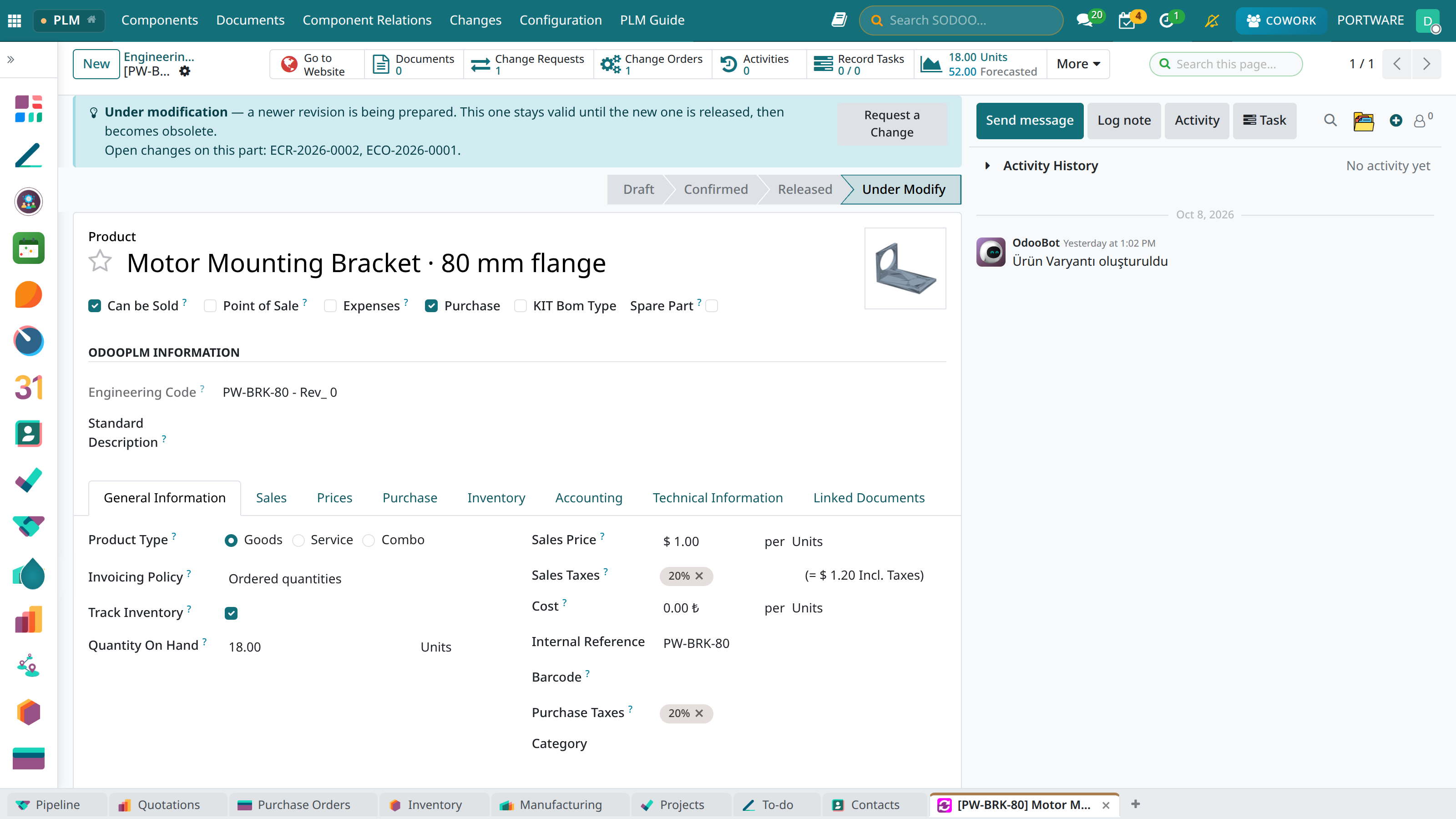 12345
12345- Guide box: open changes ECR-2026-0002 and ECO-2026-0001.
- State: Under Modify.
- 1 Change Requests: the requests on this part.
- 1 Change Orders: the orders on this part.
- Request a Change: still available on a part under modification.
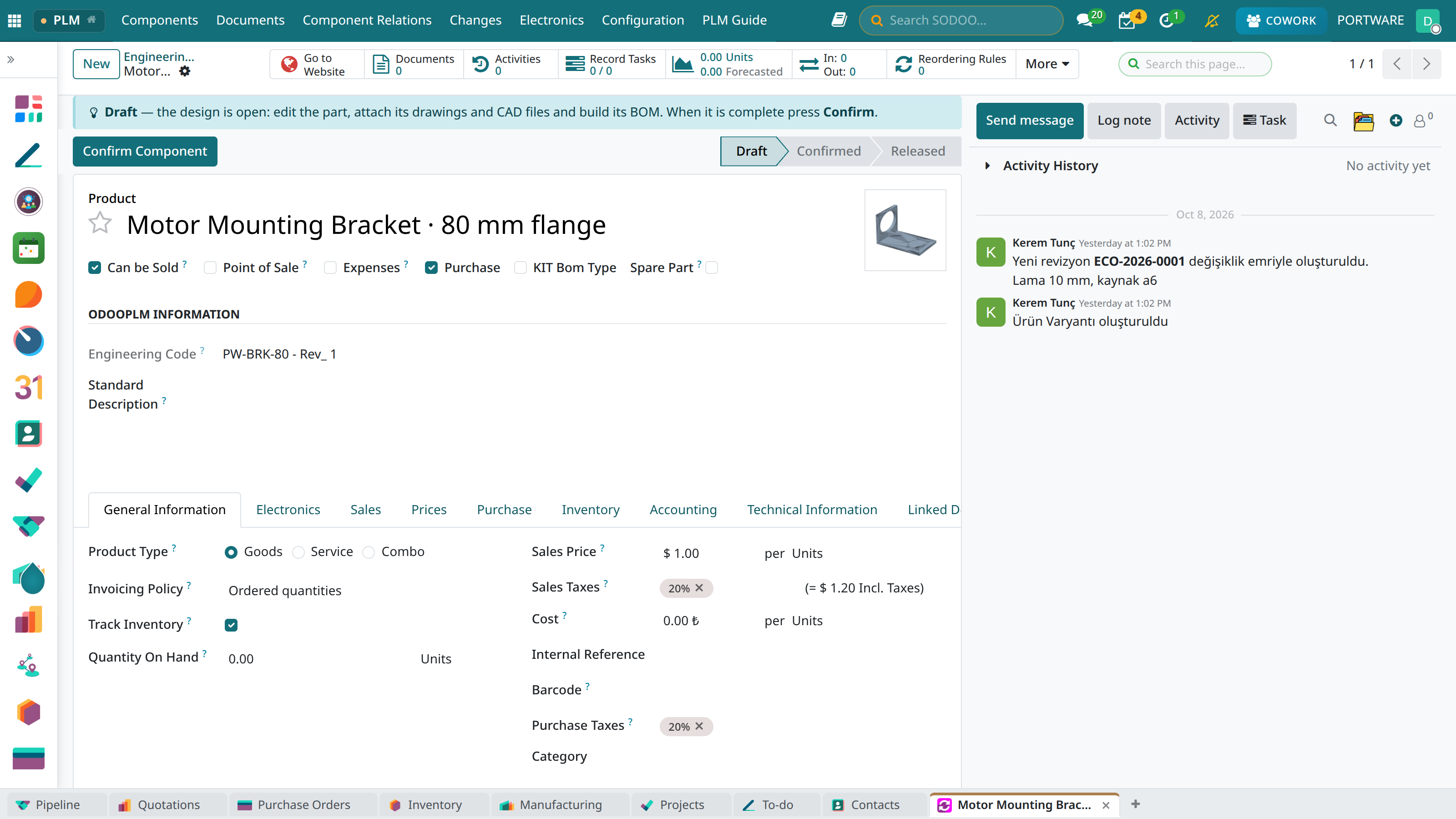
The new revision is born a draft
The order makes the new revision with copies of its documents and BoMs, and writes in its history which order made it.
 123
123- Same code, revision 1.
- State: Draft — editable.
- History: “New revision created by change order ECO-2026-0001”.
Obsoleted: replaced
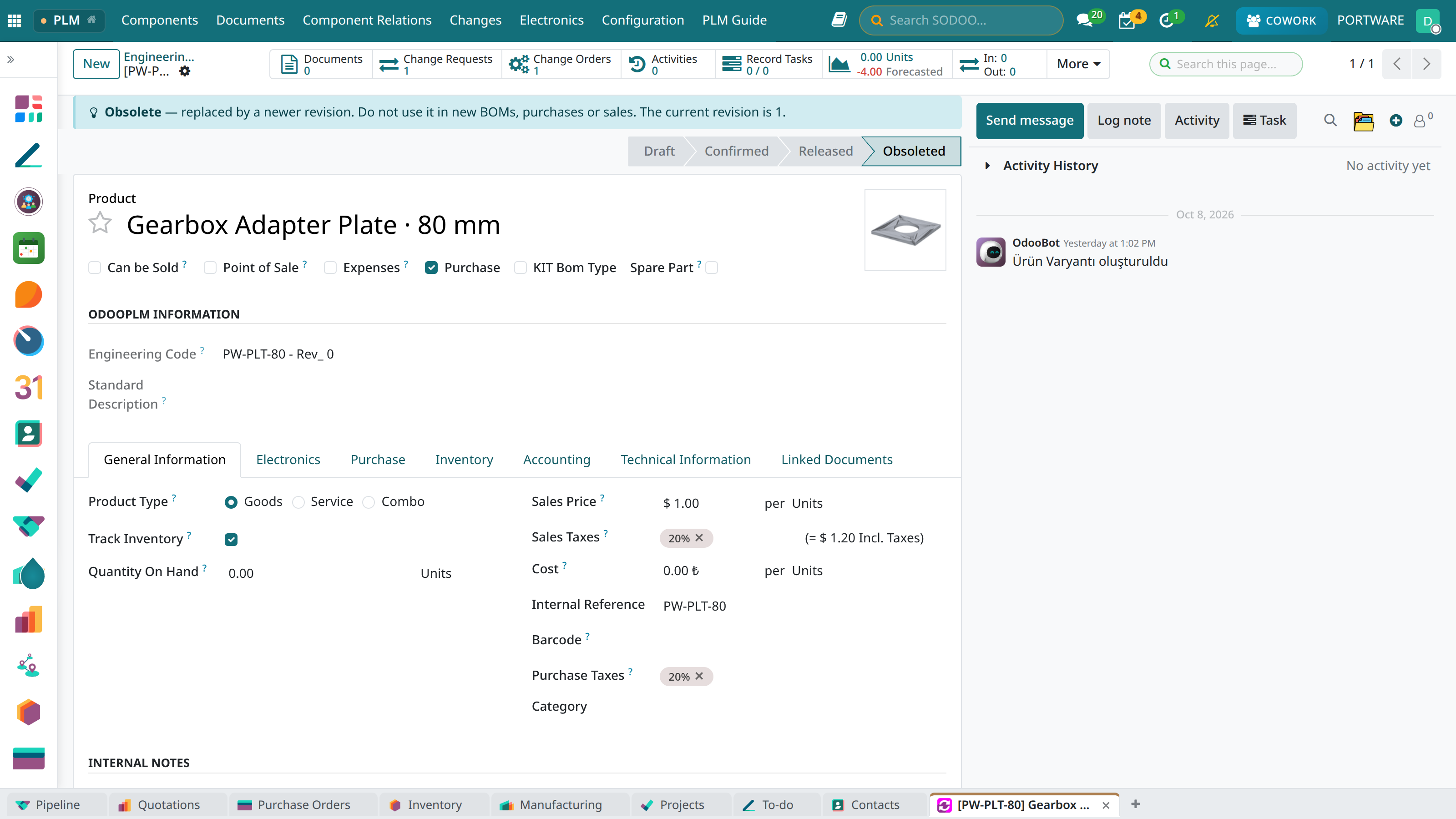
The moment the new revision is released, the old one becomes Obsoleted by itself. The guide box names the current revision.
 12
12- Guide box: “Do not use it in new BOMs, purchases or sales. The current revision is 1.”
- State: Obsoleted.
The revision timeline
Mini case: the cover waits for release
- Part
- PW-CVR-80 Cable Entry Cover · IP54 — Confirmed.
- Who releases
- Release user Nazlı Şen; Kerem (integration) does not see Release Component.
- How
- The new part's first release goes through a change order's “Release” line (ECO-2026-0003, In review).