Accounting Dashboard
Finance dashboard
What you will learn
- The definition of every figure of the Finance dashboard
- Reading the ageing and income/expense charts
- Going to overdue invoices and exporting to Excel
Overview
The finance dashboard is in the Finance section of the SODOO Dashboards app (the old SODOO Accounting Dashboard menu was removed; it opened the same page). Smart insights at the top name the overdue customer invoices with their amount and suggest reminders; someone without accounting rights sees the finance widgets of this page locked. Every figure is computed from posted accounting entries, in company currency, with your company selection.
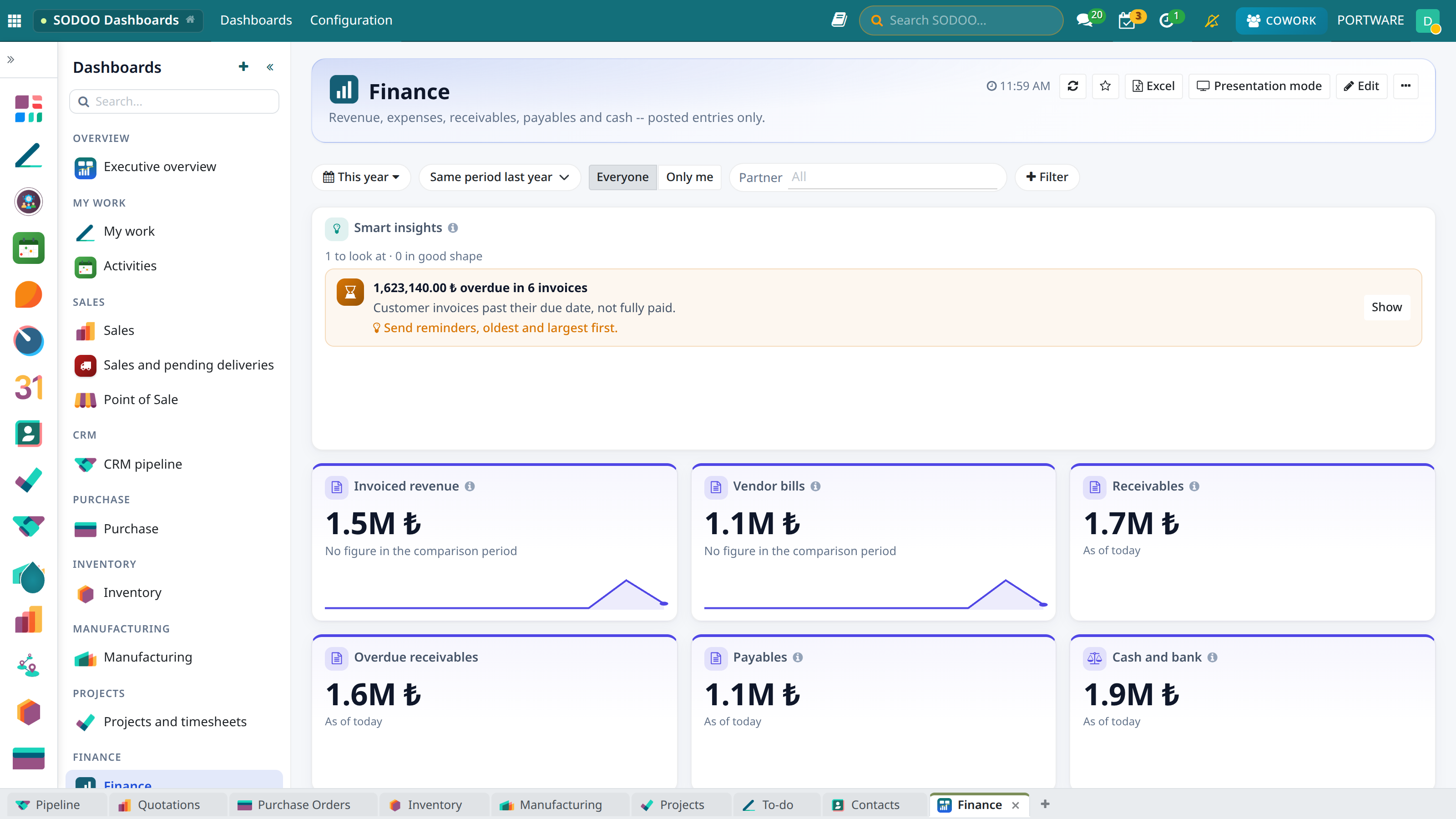
Finance - KPIs, income and expenses by month, receivables by age
What the Figures Mean
| Figure | Definition |
|---|---|
| Invoiced revenue | Untaxed amount of posted customer invoices minus credit notes, by invoice date |
| Vendor bills | Untaxed amount of posted vendor bills minus refunds |
| Receivables / Overdue receivables | Open amount of posted customer invoices today; the overdue part separately |
| Payables | Open amount of posted vendor bills today |
| Cash and bank | Balance of the bank and cash accounts today |
| Income and expenses by month | Monthly balance of income and expense accounts; the line is the result |
| Receivables / payables by age | Open balances by days past due: not due, 1-30, 31-60, 61-90, over 90 days |
| Open invoices | Number of posted customer invoices not fully paid, today |
| Invoices paid | Number of customer invoices issued in the period and fully paid |
| Items to reconcile | Posted journal items on reconcilable accounts not matched yet |
| Collection rate | Share of the period's invoiced amount already paid; its change is shown in points |
| Top vendors | The period's posted vendor bills, top 8 by untaxed amount |
| Customer / vendor payments | The period's posted payments: date, partner, journal and amount in company currency |
| Finance scorecard | The latest reading and target of every finance indicator (when the Finance KPI module is installed) |
Tips
- Click a bar of the ageing chart: the open items of that age range open.
- The Partner filter narrows every widget to one customer or vendor.
- The Excel button downloads the dashboard as a workbook with its charts and the overdue invoice list. Details: SODOO Dashboards.