Email Marketing
Create professional e-mail campaigns with the mass_mailing module. Design templates with the drag-and-drop editor, reach your target audiences and track open/click rates.
- Creating and sending e-mail campaigns
- Template design and personalisation
- Recipient list management and segmentation
- Campaign performance analysis
Overview
Create professional e-mail campaigns with the mass_mailing module. Design templates with the drag-and-drop editor, reach your target audiences and track open/click rates.
Drag-and-Drop Editor
Design professional e-mail templates without writing code.
Recipient Segmentation
Segment your target audience with filters and tags.
Performance Analysis
Monitor open, click and conversion rates.
Unsubscribe
Automatic unsubscribe management and GDPR/KVKK compliance.
Creating a Campaign
Steps to Create a Campaign
- Go to the Marketing → Email Marketing → Mailings → New menu
- Enter the campaign name and subject line
- Choose a template or start with a blank one
- Edit the content with the drag-and-drop editor
- Set the recipient list or filters
- Send a test e-mail
- Send immediately or schedule
Example Campaign E-mail
Hello {{contact_name}},
Don't miss our new-year offers! A 30% discount on all products is waiting for you.
Start Shopping
If you do not want to receive this e-mail, you can unsubscribe here.
The E-mail Marketing Interface
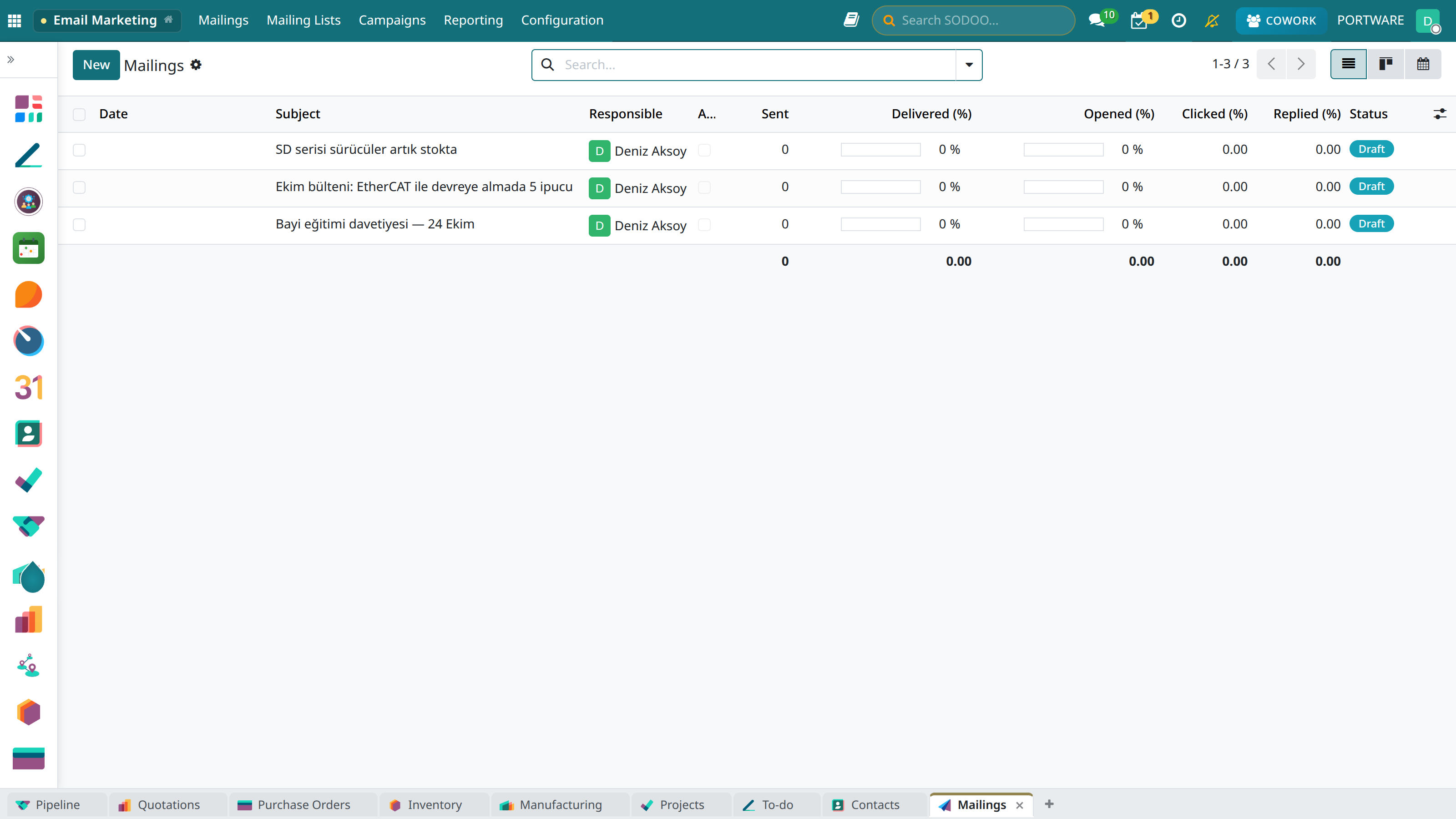
E-mail marketing campaign list
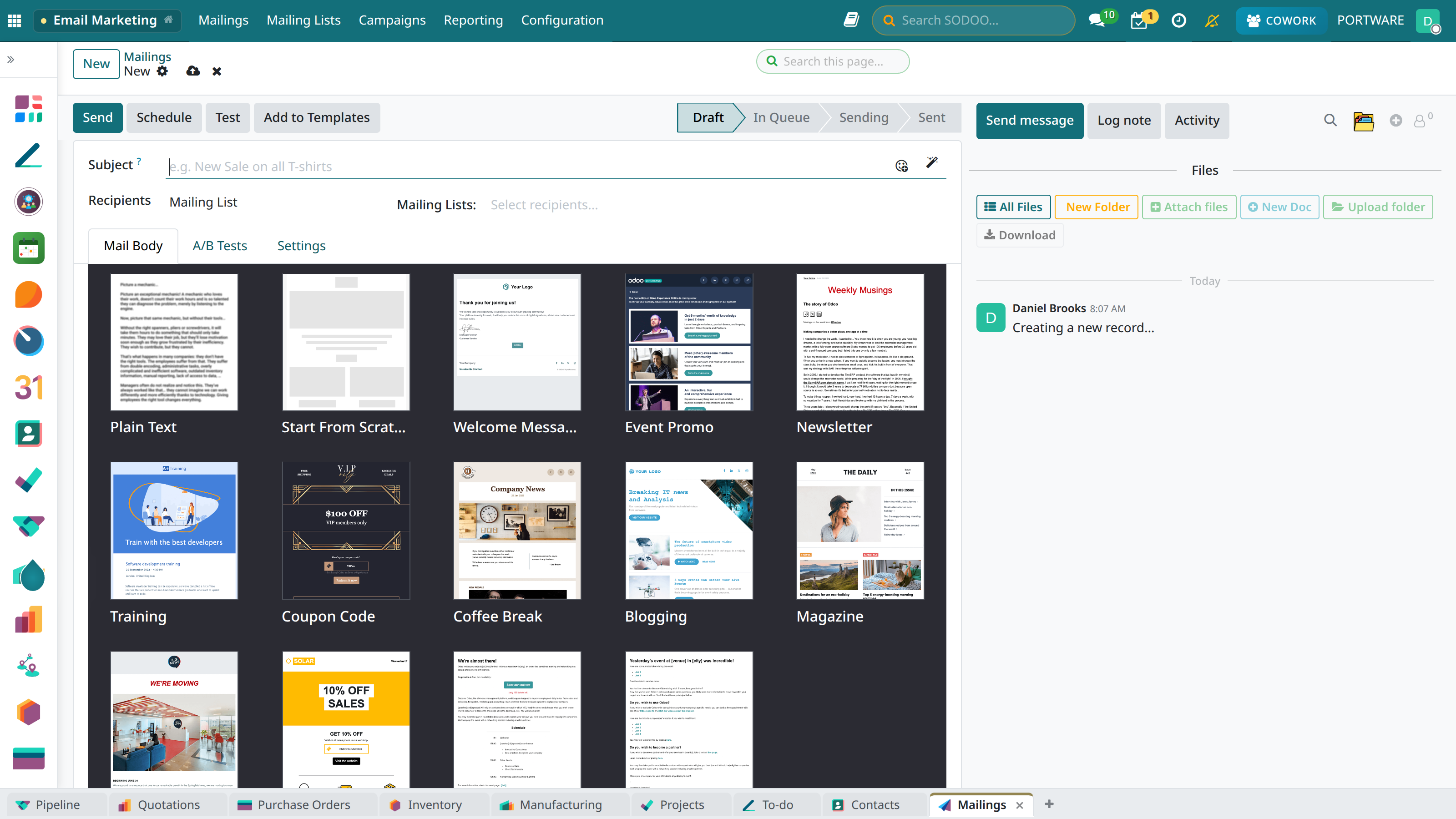
The screen for creating a new e-mail campaign
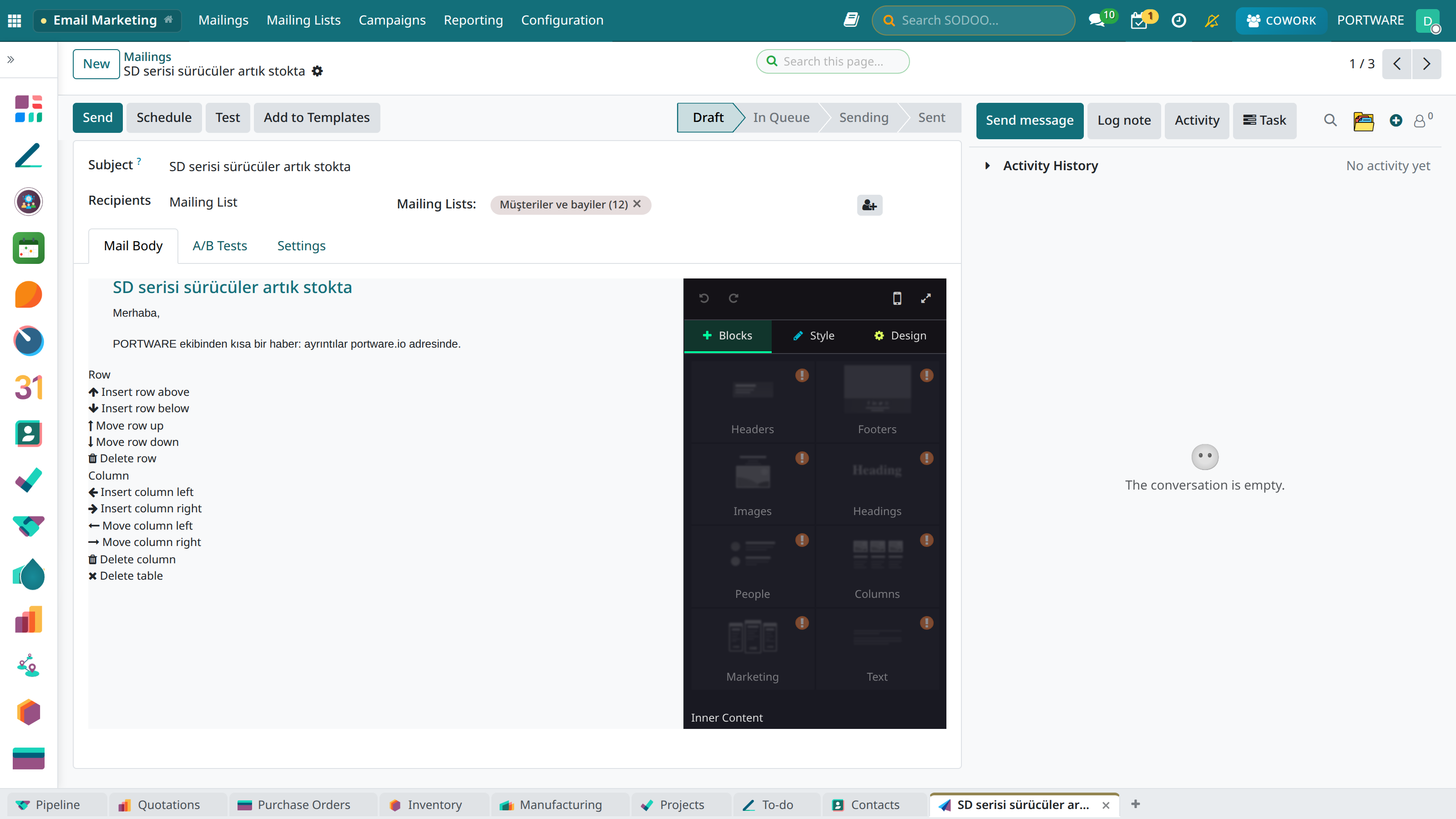
The e-mail design editor - editing content by drag and drop
Template Design
Create professional templates with the drag-and-drop editor:
Ready-Made Templates
Editor Components
- Heading: H1, H2, H3 text blocks
- Paragraph: Rich text content
- Image: Uploading and editing images
- Button: CTA buttons (colour, size, shape)
- Divider: Horizontal lines and spacing
- Social media: Social media icons
- Footer: Contact and legal text
Personalisation Variables
Personalise your e-mails with dynamic variables:
{{contact_name}}- Recipient name{{company_name}}- Company name{{email}}- E-mail address{{phone}}- Phone number{{unsubscribe_url}}- Unsubscribe link
Recipient Management
Creating a Mailing List
- Marketing → Email Marketing → Mailing Lists → New
- Enter the list name (e.g. "VIP Customers")
- Add contacts manually or import them
- Create automatic subscription forms
Segmentation Criteria
- Geographic: City, country, region
- Demographic: Age, gender, occupation
- Behavioural: Purchase history, visit frequency
- Engagement: E-mail open and click rates
- Tags: Custom categories and groups
Performance Analysis
Campaign Metrics
Tracked Metrics
- Sent: The number of e-mails sent successfully
- Delivered: E-mails that reached the inbox
- Opened: The number and rate of opened e-mails
- Clicked: The number of link clicks
- Bounce: Returned e-mails (invalid address)
- Spam: E-mails marked as spam
- Unsubscribed: People who unsubscribed
A/B Testing
Find the most effective content by testing different variants:
- Subject line: Test different headlines
- Send time: Find the best hour
- Content: Compare different layouts
- CTA buttons: Colour and text variants
Link Tracker
Monitor the click performance of links in e-mail campaigns. Track source, campaign and content information with UTM parameters.
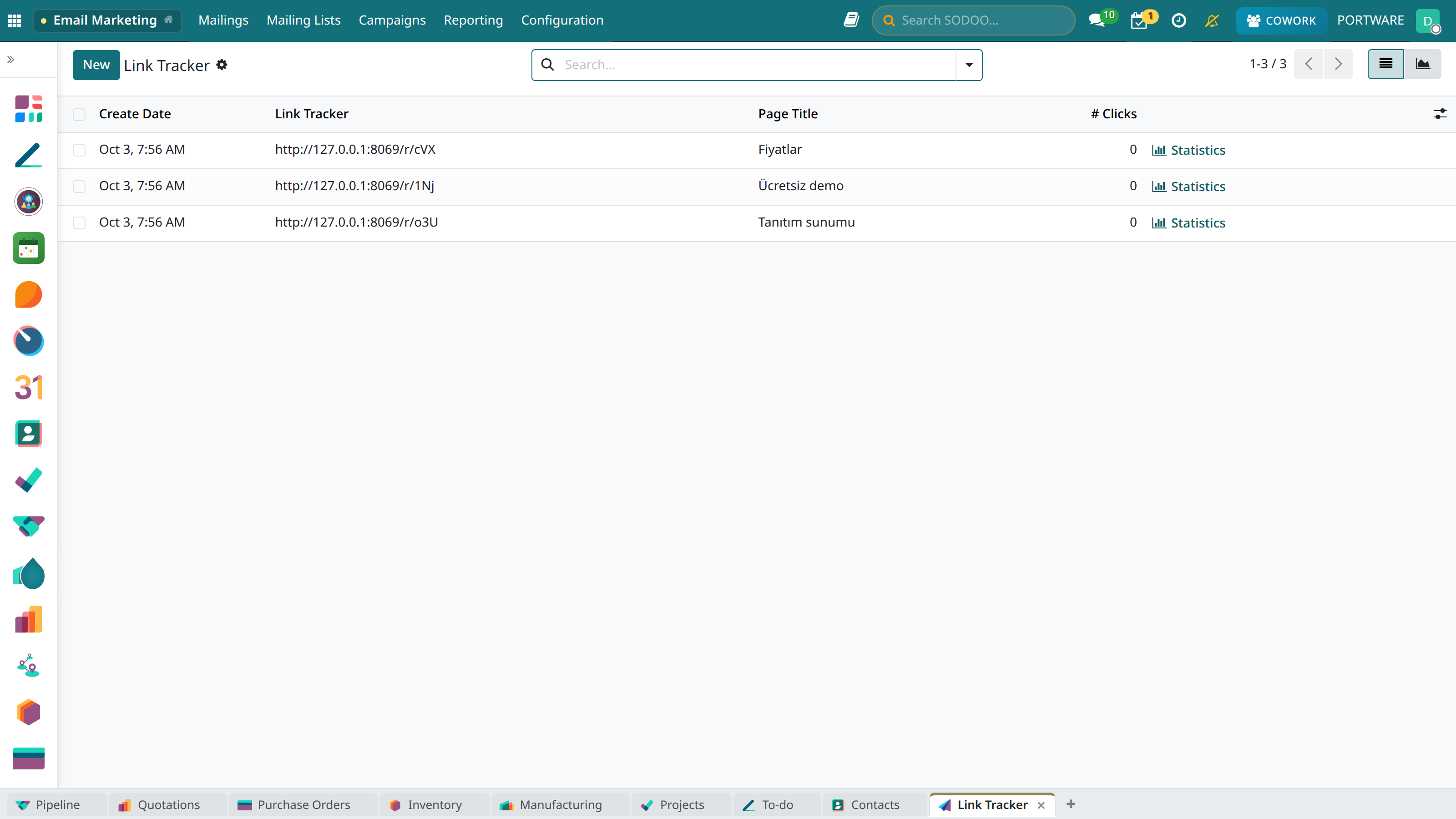
The link tracking list - all tracked URLs
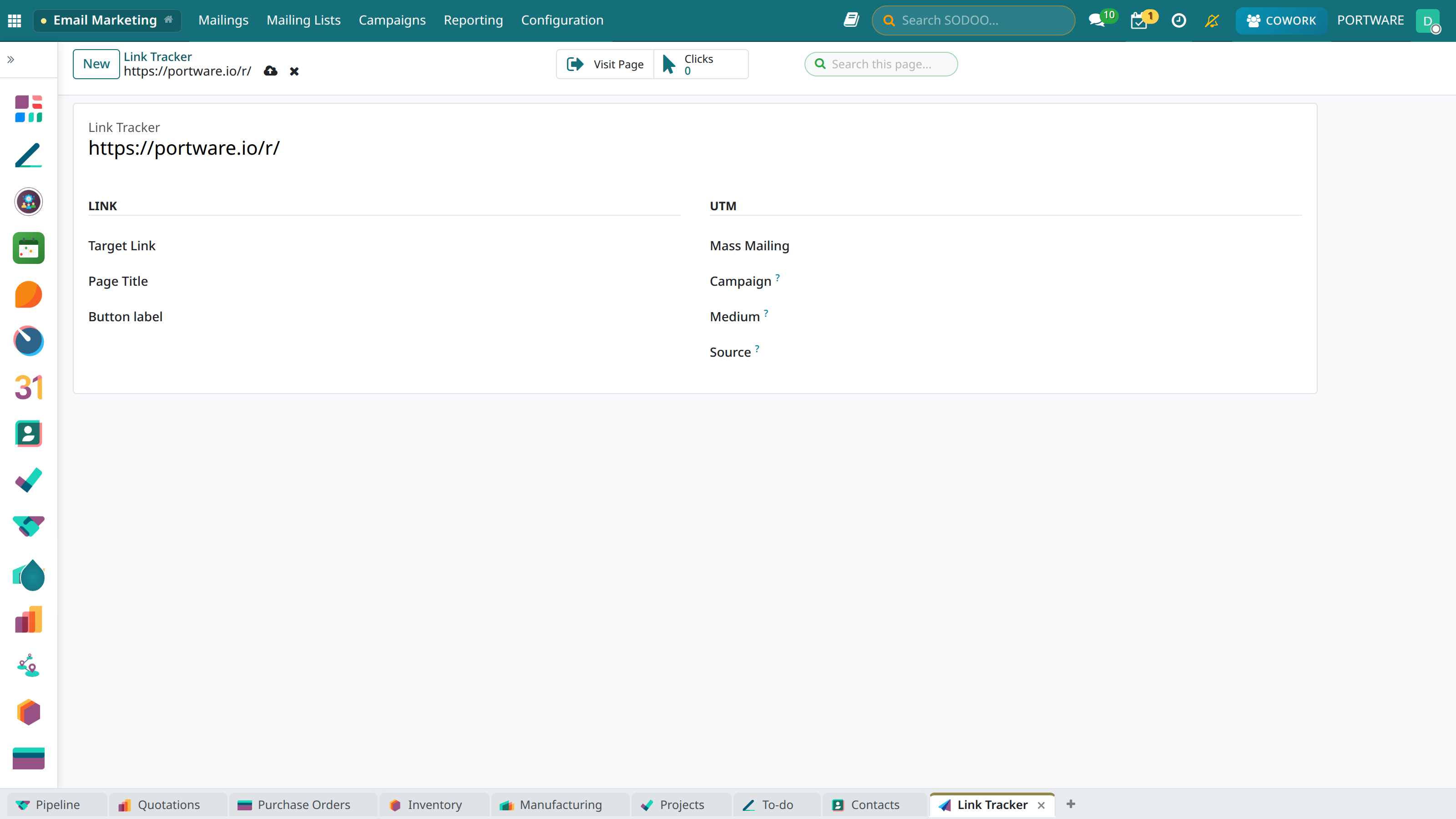
The form for creating a new tracking link
Link Tracker start screen - create your first link
Best Practices
- Keep the subject line short and striking (under 50 characters)
- Use mobile-friendly templates
- Increase the open rate with personalisation
- Optimise the send time (Tuesday–Thursday, 10:00-14:00)
- Always send a test e-mail
GDPR/KVKK and Spam Prevention
- Consent: Send e-mail only to those who have given permission
- Unsubscribe link: Every e-mail must contain an unsubscribe link
- Sender details: The real company name and address
- List hygiene: Clean bouncing addresses regularly