Lesson 6 · Change management (ECR → ECO)
Change request, impact analysis, board decision, change order, new revision and release: one case end to end.
Goal of this lessonTo take a change from the problem to the release: change request (ECR), impact analysis, decision, change order (ECO), new revision and release.
Why two records: request and order
SODOO PLM applies the CMII closed loop that Windchill and Teamcenter follow. The change request carries the WHY: the problem, the reason, the affected parts, the impact analysis and the change board's decision. The change order carries WHAT is done: part by part a new revision, a release or an obsolete, and from when it is effective. One order can answer several requests; one request can need several orders. Every employee may raise a request; deciding and applying need rights (Lesson 7).
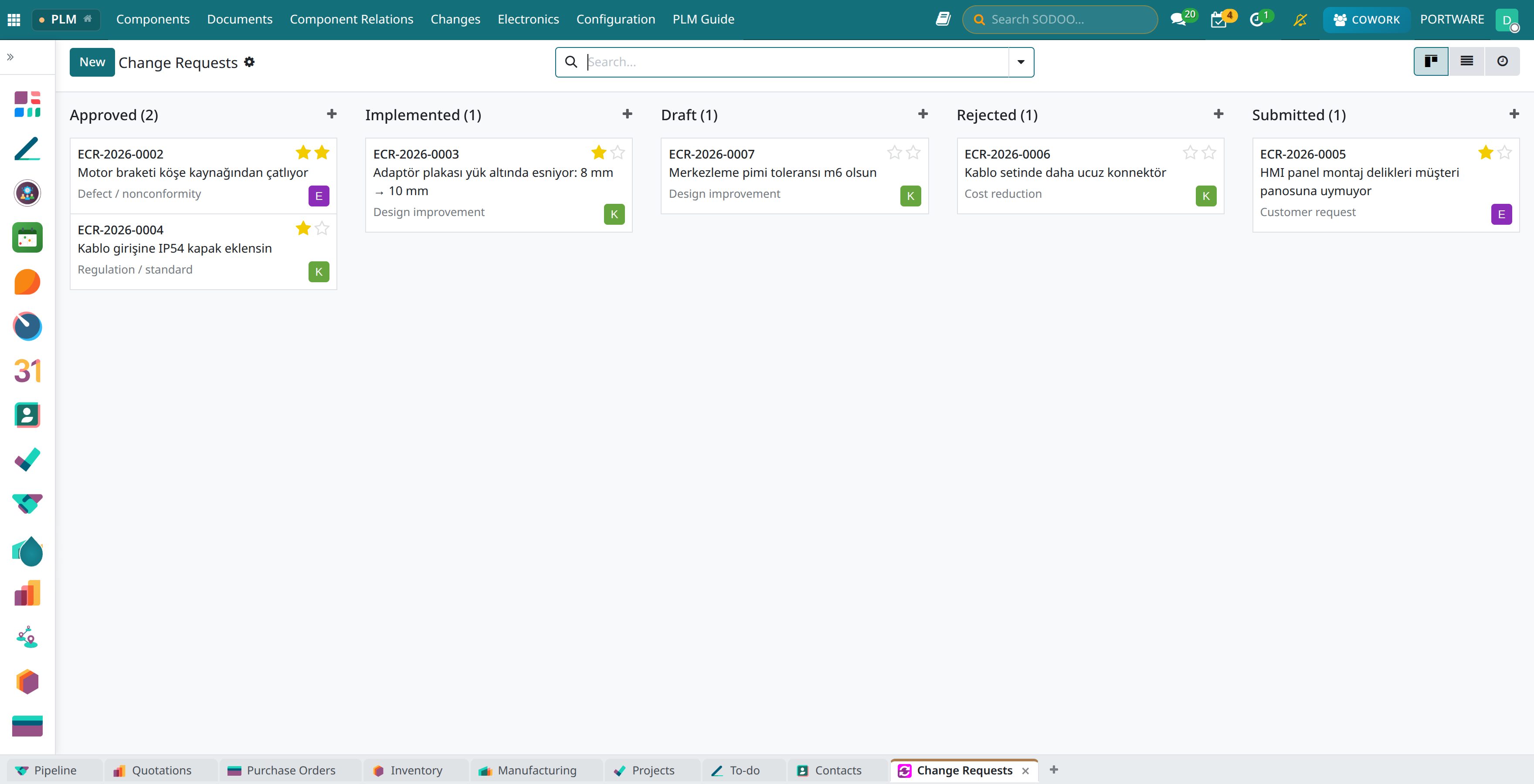
Requests and orders at a glance
 12345
12345With the default “Open” filter removed every state shows. Stars show the priority.
- Draft (1): requests being written.
- Submitted (1): waiting for the change board.
- Approved (2): requests whose order can be or has been opened.
- Rejected (1): returned with a decision note.
- Implemented (1): every order done.
Step by step: the bracket cracks at the weld
Raise the request
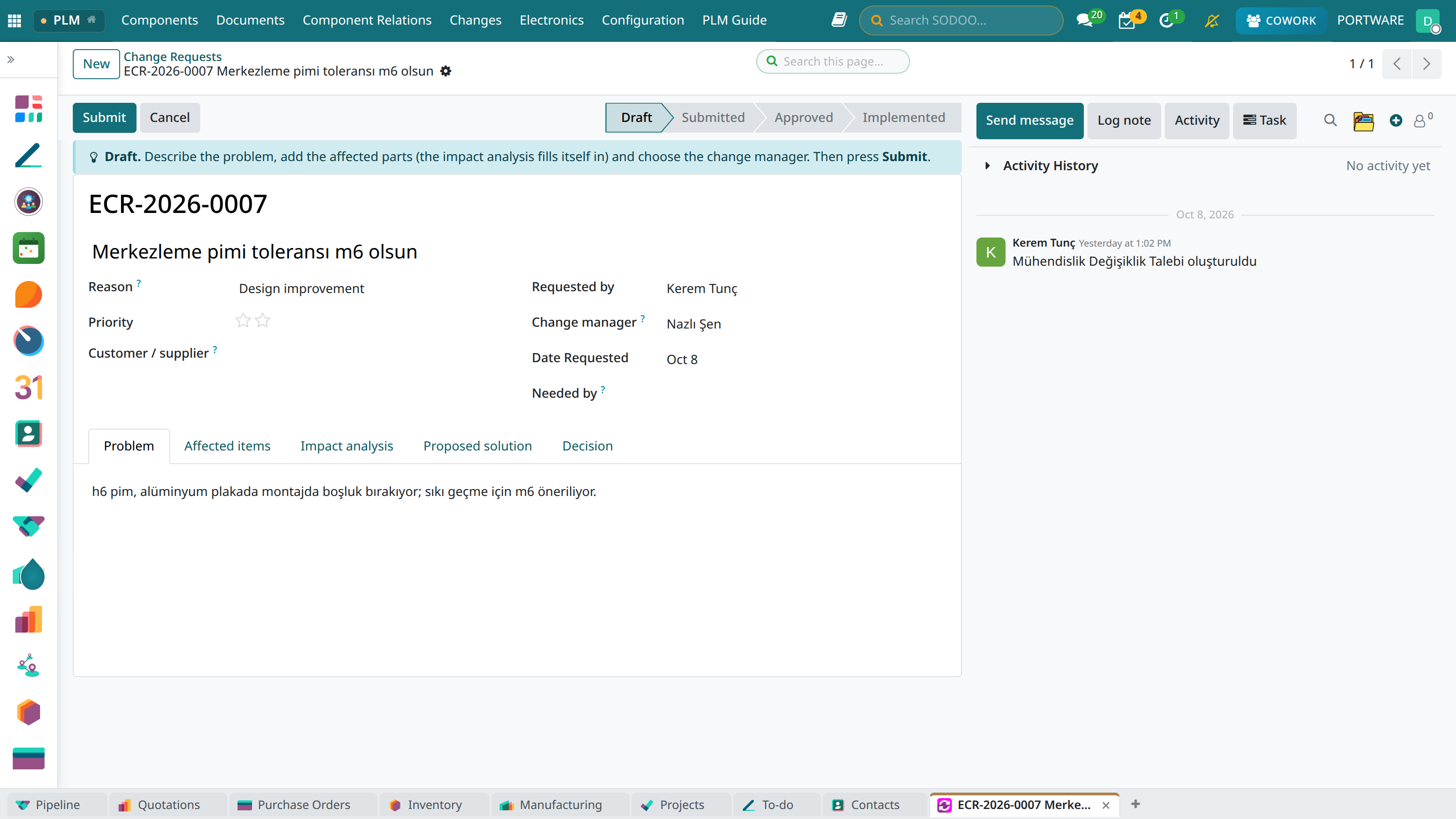
On a released part the Request a Change button in the blue box opens the request with the part filled in; or Changes › Change Requests. Write the title, the reason, the priority, the problem and the change manager; add the parts under the affected items.
 12345
12345- Submit: sends the request to the change manager, who gets a to-do.
- Guide box: what to do in this state.
- Reason: defect, cost, customer, supplier, regulation, improvement, obsolescence, other.
- Change manager: takes the request to the board and records the decision.
- Affected items: parts and documents; the impact analysis is computed from them.
Read the impact analysis
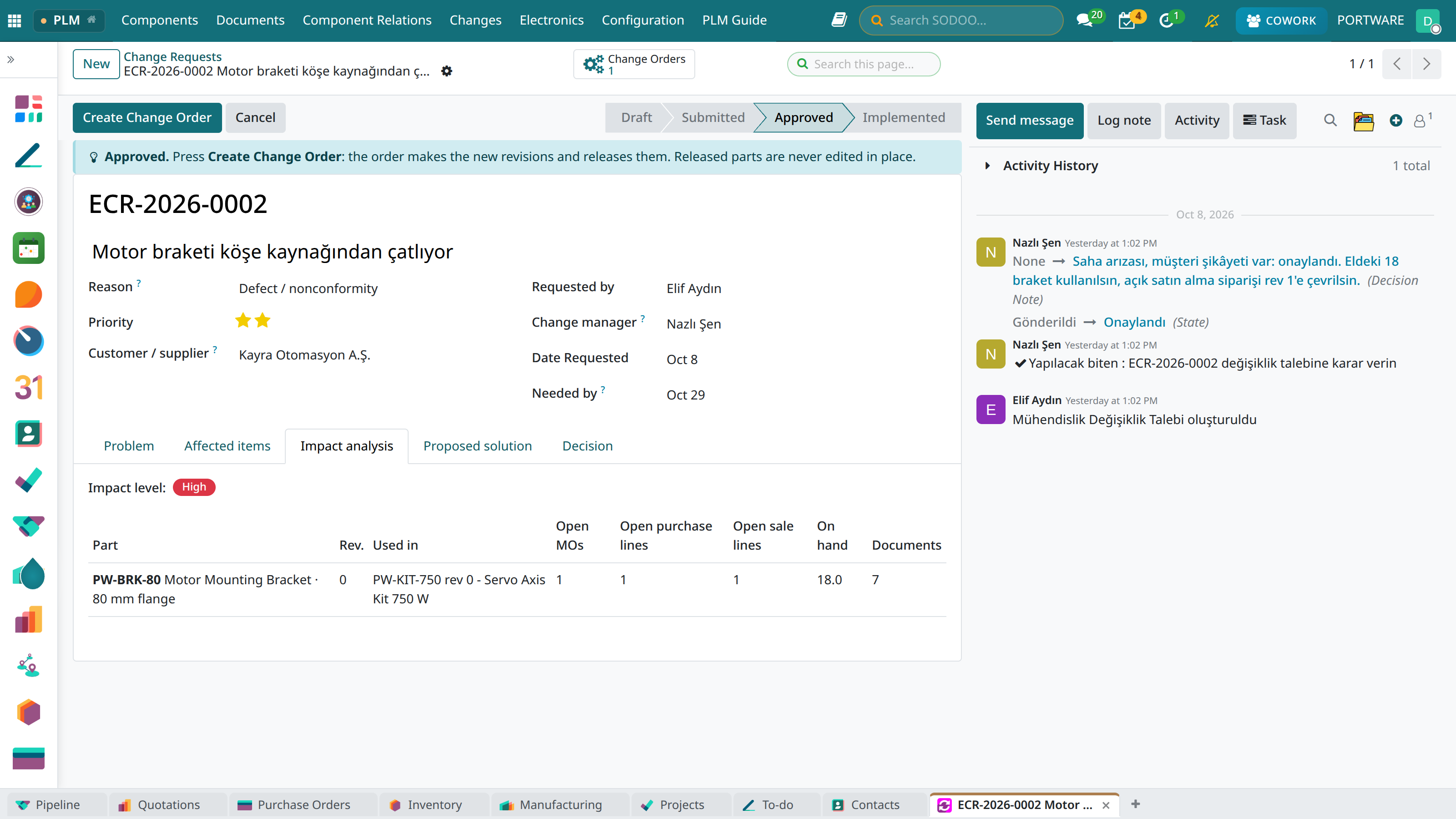
The impact analysis reads live data: the assemblies using the part, open manufacturing orders, open purchase and sale lines, stock on hand and linked documents. The level is computed from it.
 123
123- Impact level: High — there is running work.
- Columns: part, revision, used in, open manufacturing orders, open purchase and sale lines, stock on hand, documents.
- PW-BRK-80: used in the kit; 1 manufacturing order, 1 purchase line, 1 sale line, 18 in stock.
The board decides
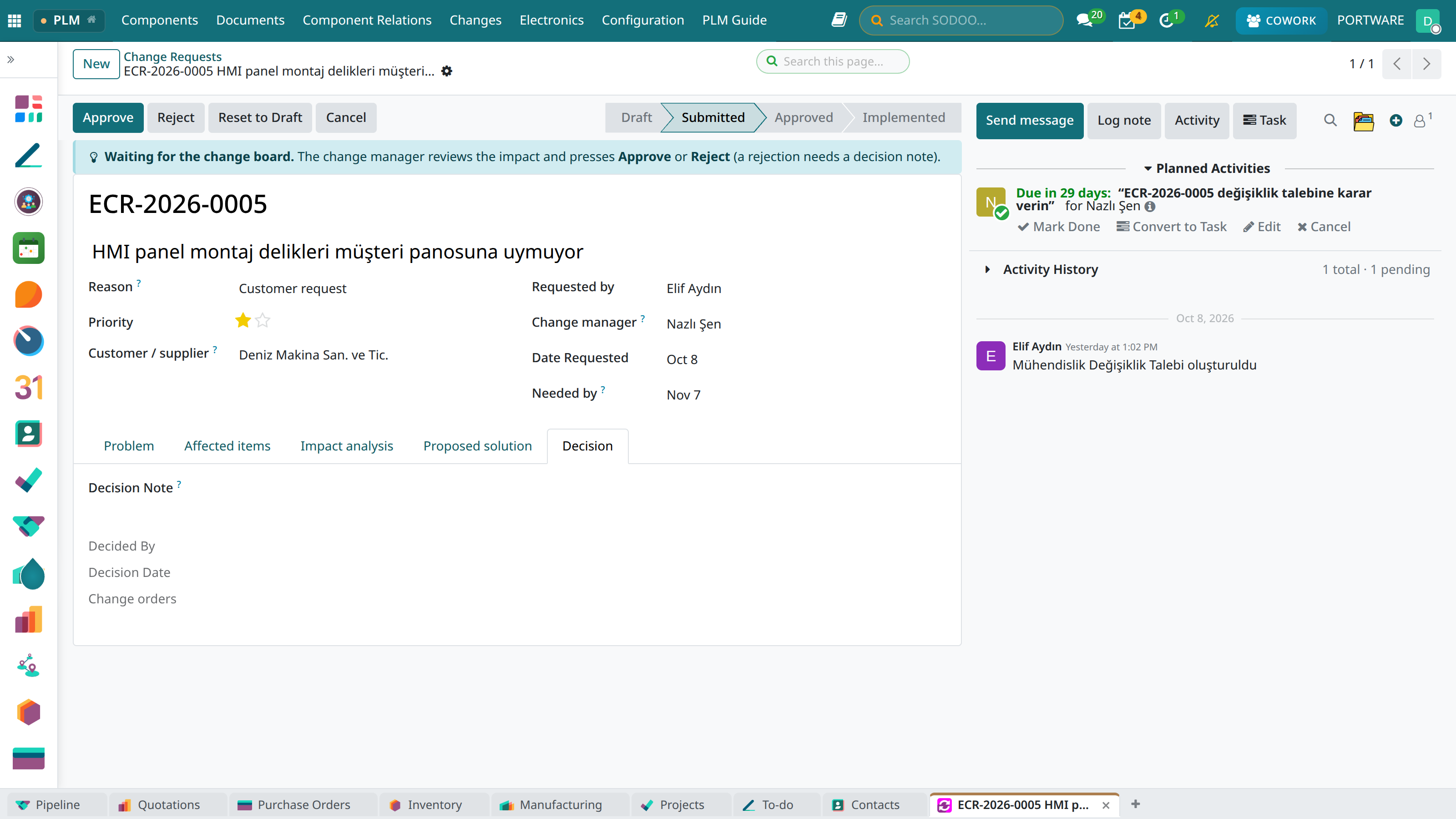
On a submitted request the change manager presses Approve or Reject. A rejection needs a decision note: the requester must know why.
 1234
1234- Approve
- Reject: not allowed without a decision note.
- Decision note: the board's reasoning.
- The change manager's to-do.
Create the order from the approved request
Create Change Order opens the order with one line per part of the request: “New revision” for a released part, “Release” for a draft or confirmed one.
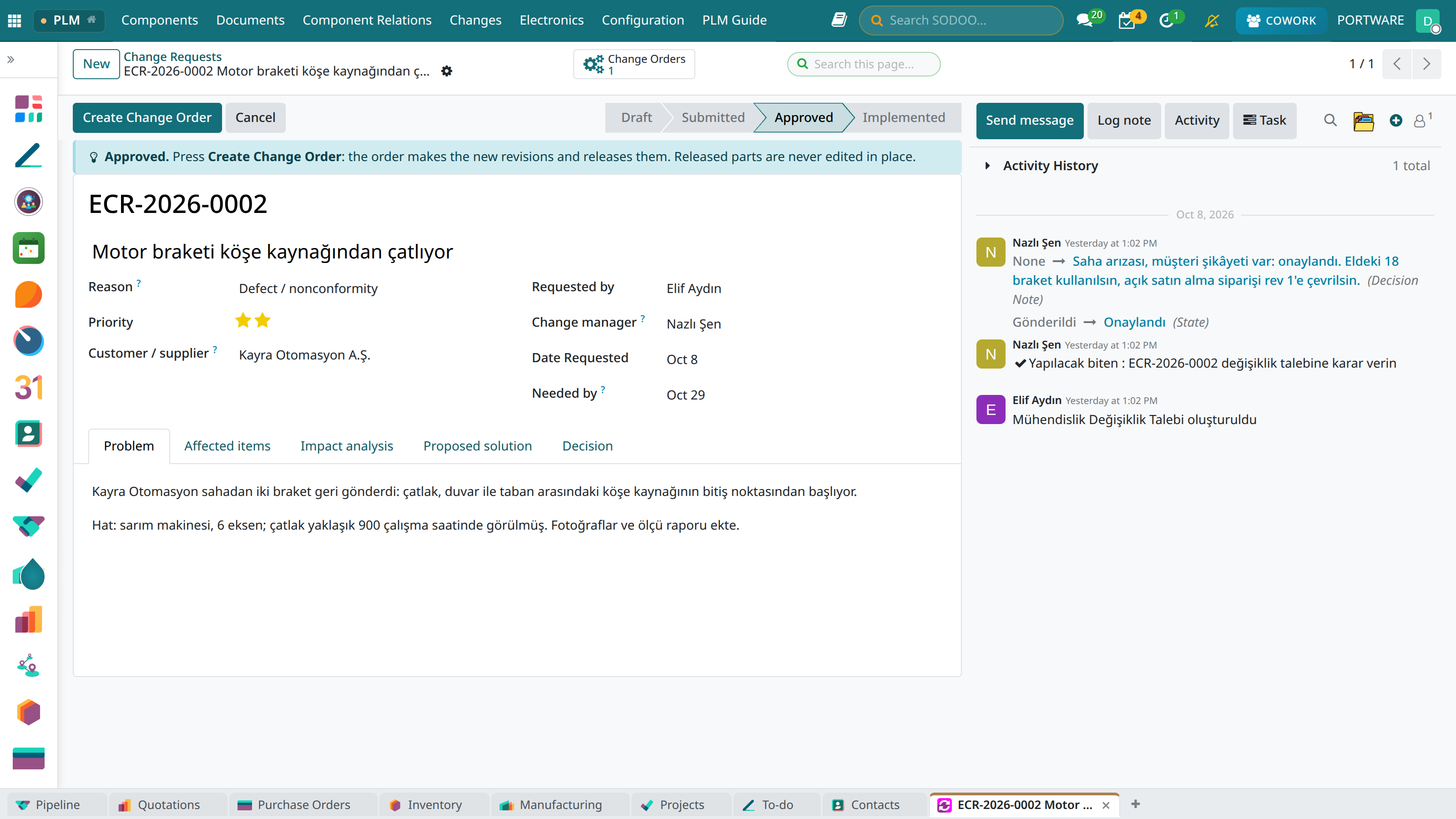 12345
12345- State: Approved.
- Create Change Order
- Priority: two stars = Urgent.
- 1 Change Orders: this request's orders.
- History: who decided, when, and the decision note.
Start the order
On the order choose the responsible engineer, the approver and the effective date. Start makes the new revisions; the arrow on the line opens the new revision, the two-squares icon compares the old and the new revision in 3D (Lesson 4).
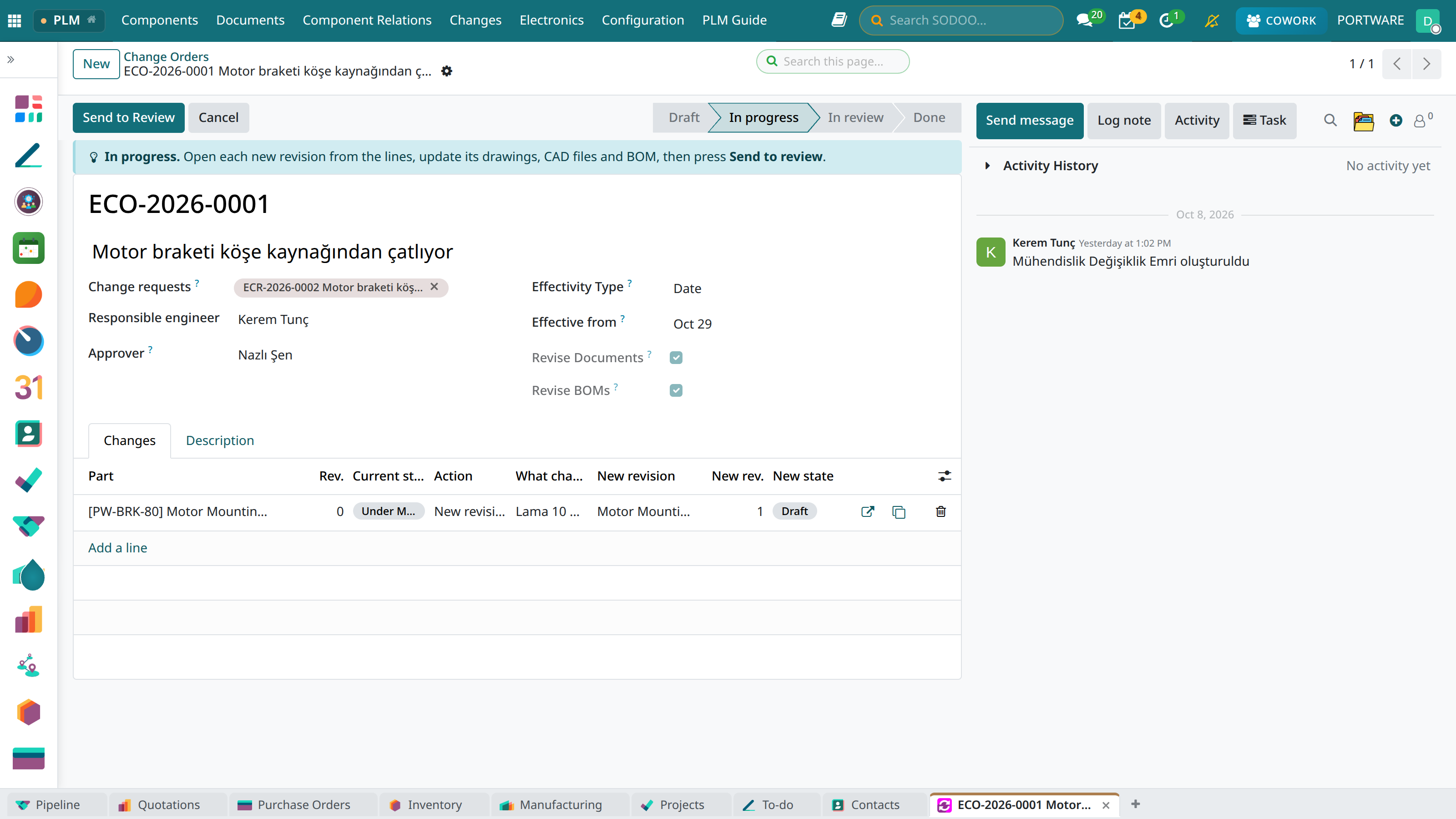 12345
12345- Send to Review: when the engineering is done.
- Effective from: the date production switches to the new revision (for the Date type; for Serial number or Lot, the first serial/lot).
- Action: New revision / Release / Make obsolete.
- New revision: the record Start made (rev 1, Draft).
- Opens the new revision.
Do the engineering
Check the new revision's model and drawing out in CAD, update them, fix the BoM and check in (Lesson 4). The new revision's history names the order that made it.
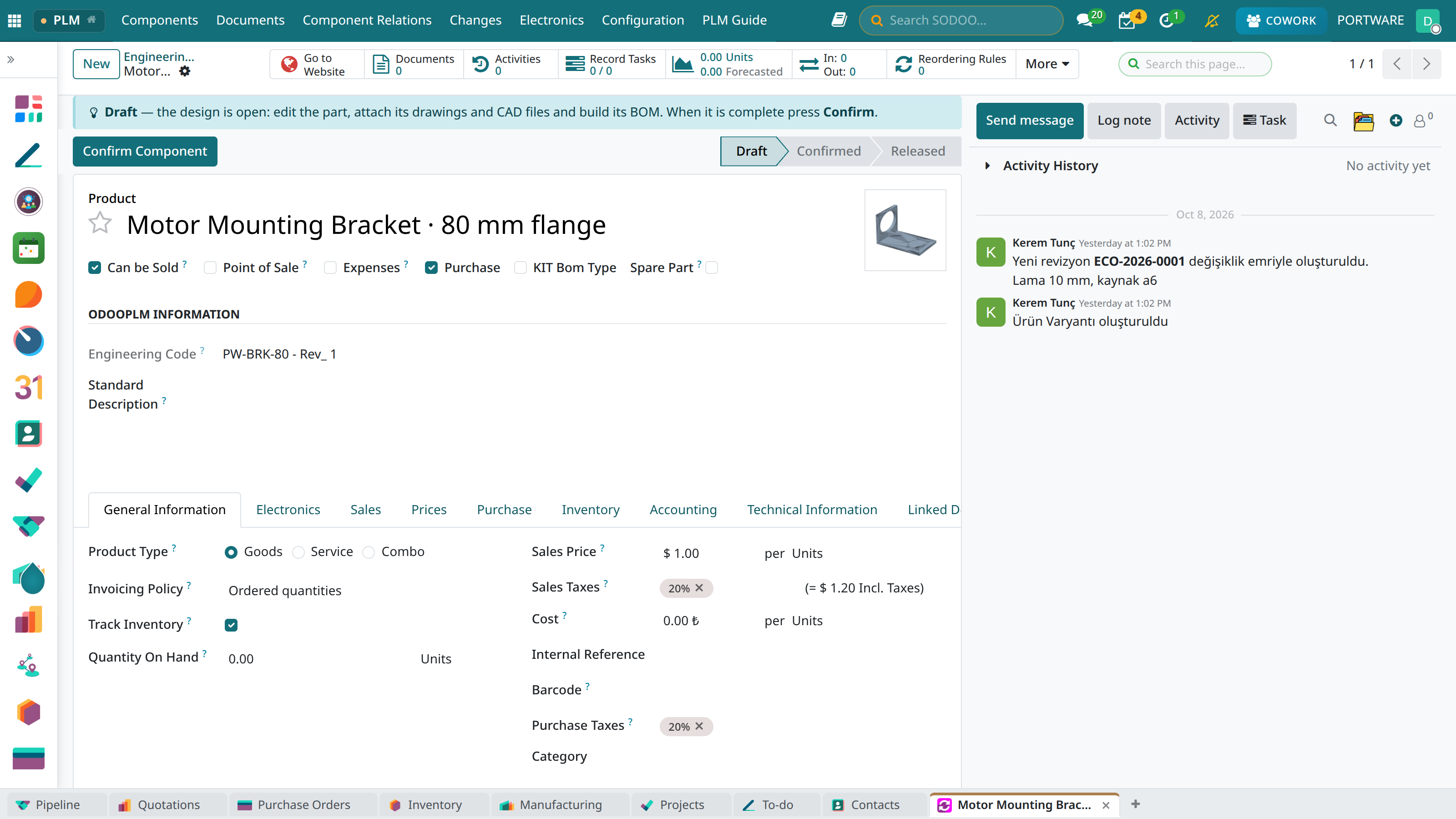 123
123- PW-BRK-80, revision 1.
- State: Draft — editable.
- History: the order's name and the note “Lama 10 mm, kaynak a6”.
Send to review, apply
Send to Review gives the approver a to-do. The approver checks the new revisions and presses Apply; if something is missing, Back to Work.
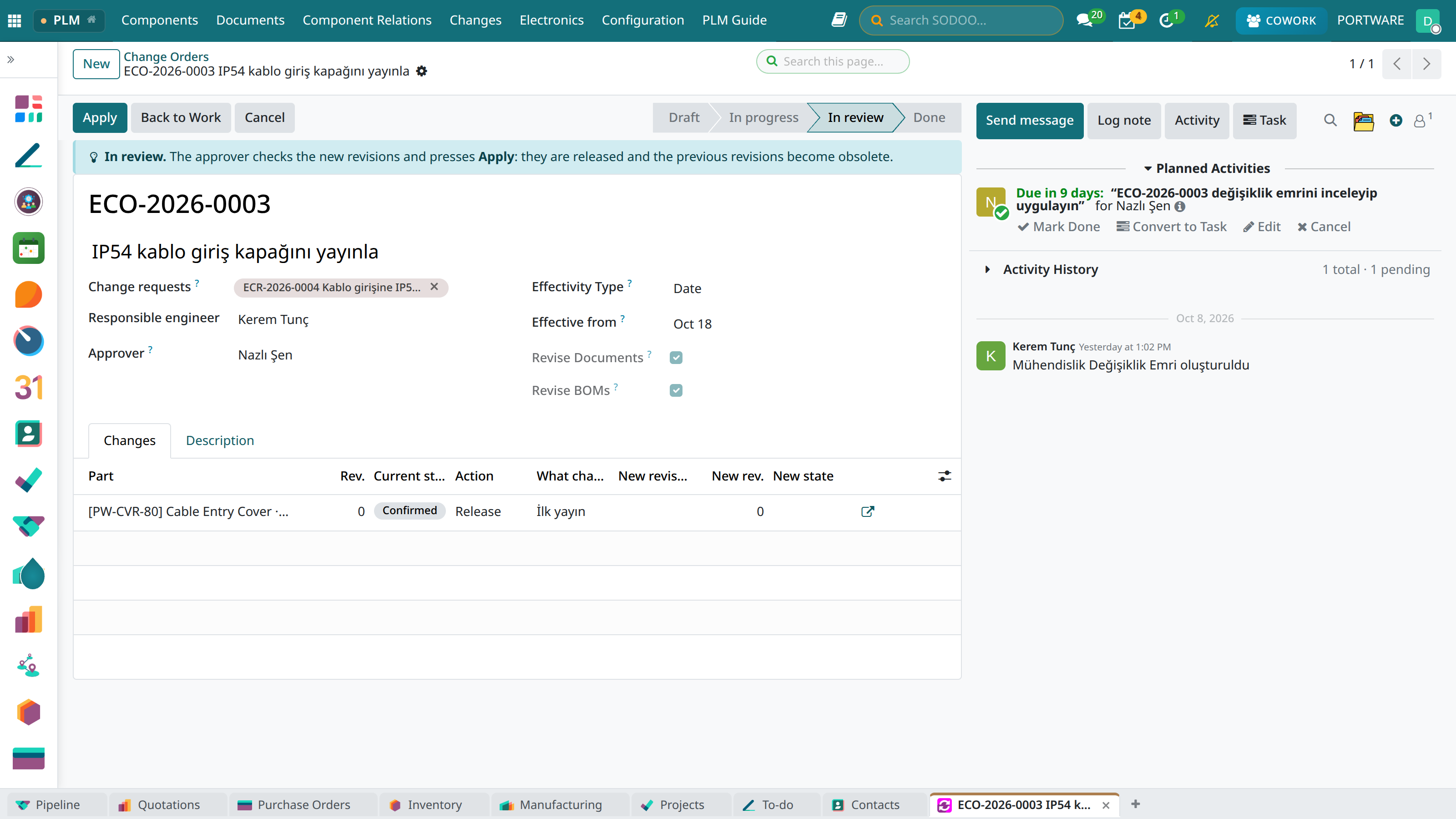 1234
1234- Apply: release users only; new revisions are released, the previous ones become obsolete.
- Back to Work: sends the order back to engineering.
- Approver.
- Current state: the line part's state today.
The result: the loop closes
The applied order becomes Done, the new revision Released, the old one Obsoleted; the request becomes Implemented by itself. Each part's history records the order's name and the effective date.
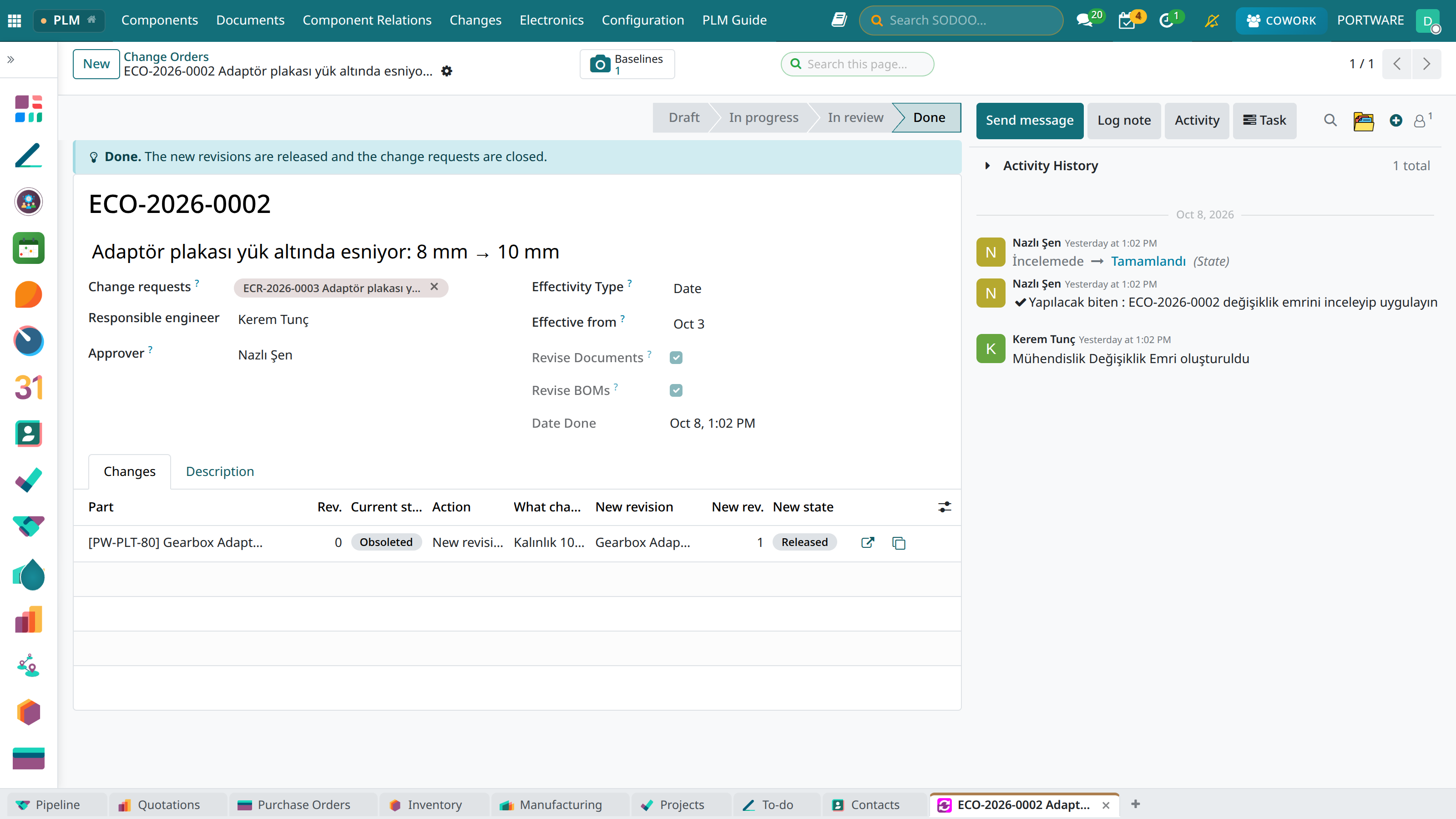 123
123- State: Done.
- New state: the new revision is Released.
- The request answered: ECR-2026-0003, now Implemented.
Effectivity: date, serial or lot
The order's Effectivity type says when the new revisions replace the old ones: a date, or the first serial number or lot of the assembly being built (e.g. SN-0100). Applying the order writes an effectivity row for each revised part (Changes › Revision Effectivity) and takes the order's “as released” baseline. From that point a manufacturing order that still consumes the old revision shows a warning; Use Effective Revisions moves its components to the new revisions. Nothing is blocked: the warning and a to-do for the responsible leave the decision to a person.
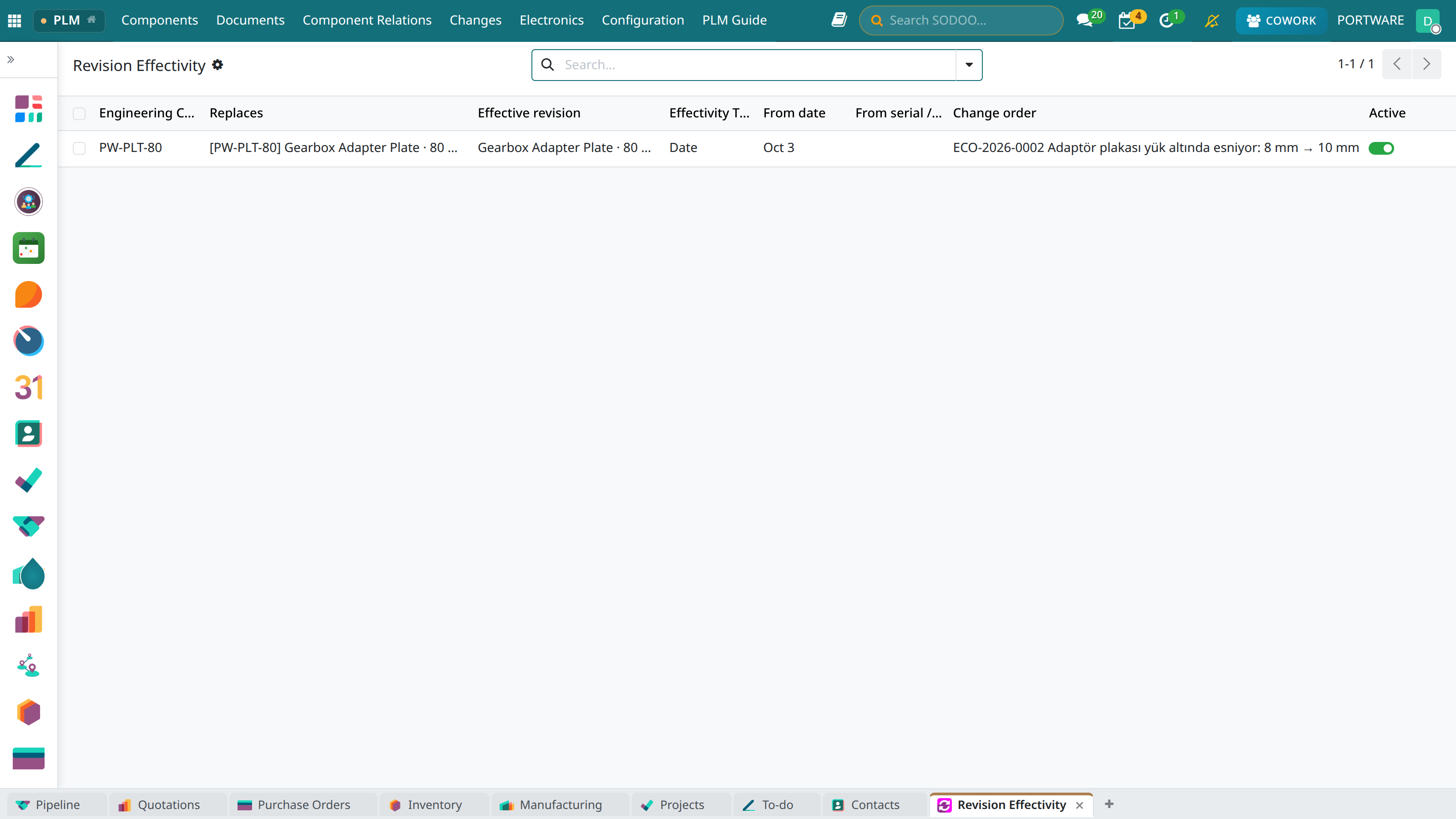 1234
1234- The revision replaced (the plate rev 0).
- The effective revision (the plate rev 1).
- Type: date, serial number or lot.
- The change order that wrote it.
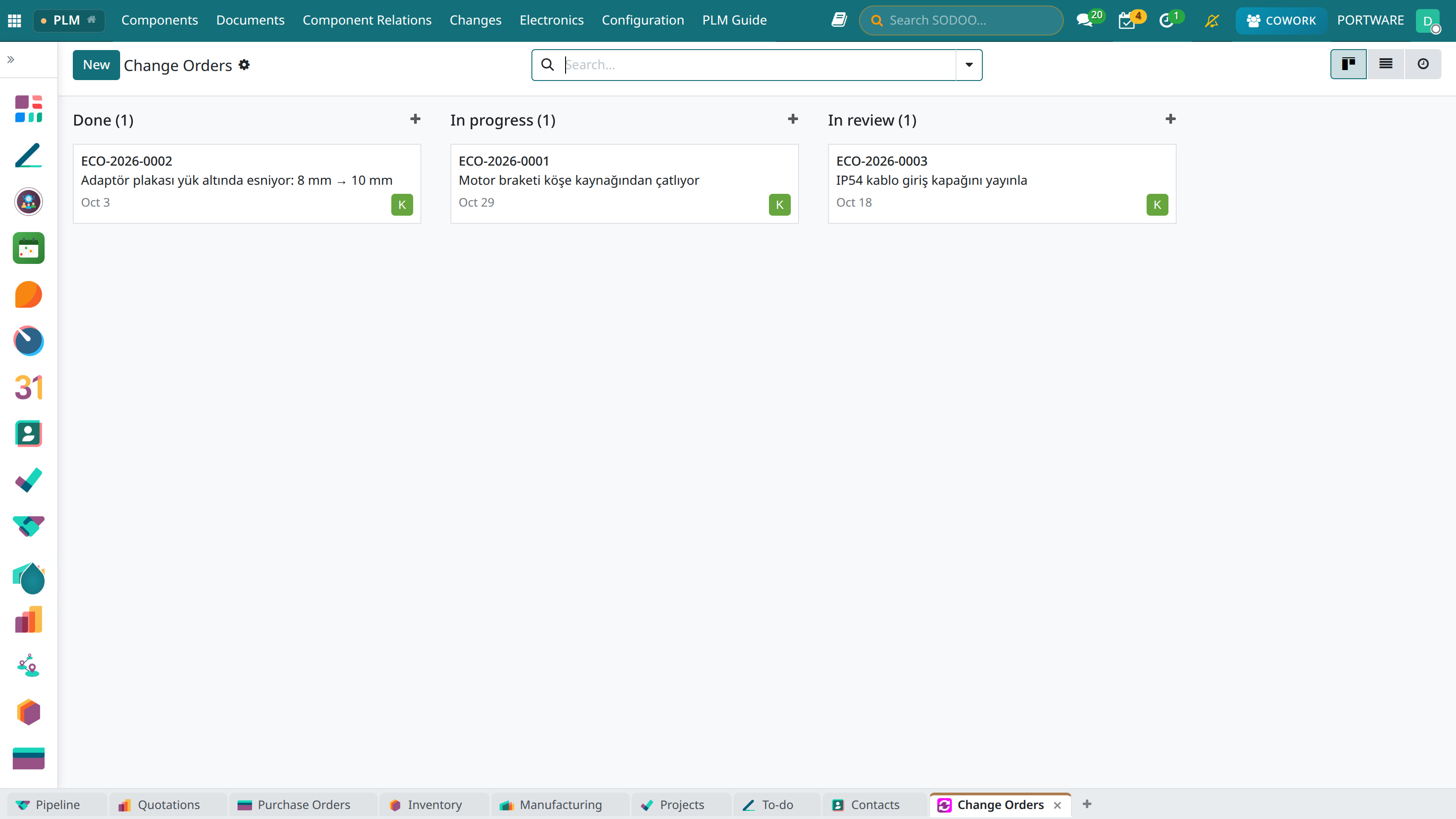 123
123- In progress (1): the new revisions are in work.
- In review (1): waiting for the approver.
- Done (1): applied.
The three actions of an order line
| Action | On | Start | Apply |
|---|---|---|---|
| New revision | A released part | Start makes the new revision with copies of its documents and BoMs; the old revision becomes Under Modify. | Releases the new revision; the previous one becomes obsolete. |
| Release | A draft or confirmed part | Nothing changes. | Confirms and releases the part. |
| Make obsolete | A released part | Nothing changes. | Makes the part Obsoleted (when a new code replaces it). |
Case: the bracket cracks at the corner weld
- Problem
- Kayra Otomasyon sent two brackets back from the field; the crack starts at the end of the corner weld (~900 operating hours).
- Request
- ECR-2026-0002 — Elif Aydın, reason Defect / nonconformity, priority Urgent, change manager Nazlı Şen.
- Impact
- High: used in PW-KIT-750; 1 open manufacturing order, 1 purchase and 1 sale line, 18 in stock, 7 documents.
- Decision
- Nazlı approved: “Use the 18 brackets in stock, move the open purchase order to rev 1.”
- Order
- ECO-2026-0001 — responsible Kerem Tunç, approver Nazlı Şen, effective in 21 days; line: PW-BRK-80 new revision, “Lama 10 mm, kaynak a6”.
- Today
- Rev 1 Draft, its STEP model checked out by Kerem; rev 0 Under Modify and valid.
- Next
- Check-in → Send to Review → Nazlı Applies: rev 1 Released, rev 0 Obsoleted, ECR-2026-0002 Implemented.