

Git Studio
Software, PLC software and hardware design on one product record. Versions, baselines, reviews, requirements and customers on one screen.
- Code is part of the productRepositories, baselines and customers are tied to the product record.
- A diff anyone can readCode and PLC changes open in the browser, nothing to install.
- What runs in the fieldFrom a serial number to the software version in one click.
Where it appears: Git Studio in the application panel
Git Studio does not move your code. The code stays on GitHub, and Git Studio ties it to the product, the version, the requirement and the customer. Reading changes nothing on GitHub.
Menus
| Menu | What it holds |
|---|---|
| Products | Products with software and each one's software studio |
| Repositories | Connected repositories, their roles and recent activity |
| Workbench | Browsing, comparing and changing code |
| Versions | Tags, Releases, Software Baselines, Customer Configurations |
| Changes | Pull Requests, Commits, Issues, Change Sets |
| Pipelines | Deployments, Workflows, Builds |
| Security | Security Alerts, Software Bill of Materials |
| Requirements | Requirements, Test Cases, Test Runs, Code Links, Test Reports |
| Configuration | Settings, Connections, Webhook Deliveries |
The Product's Software Studio
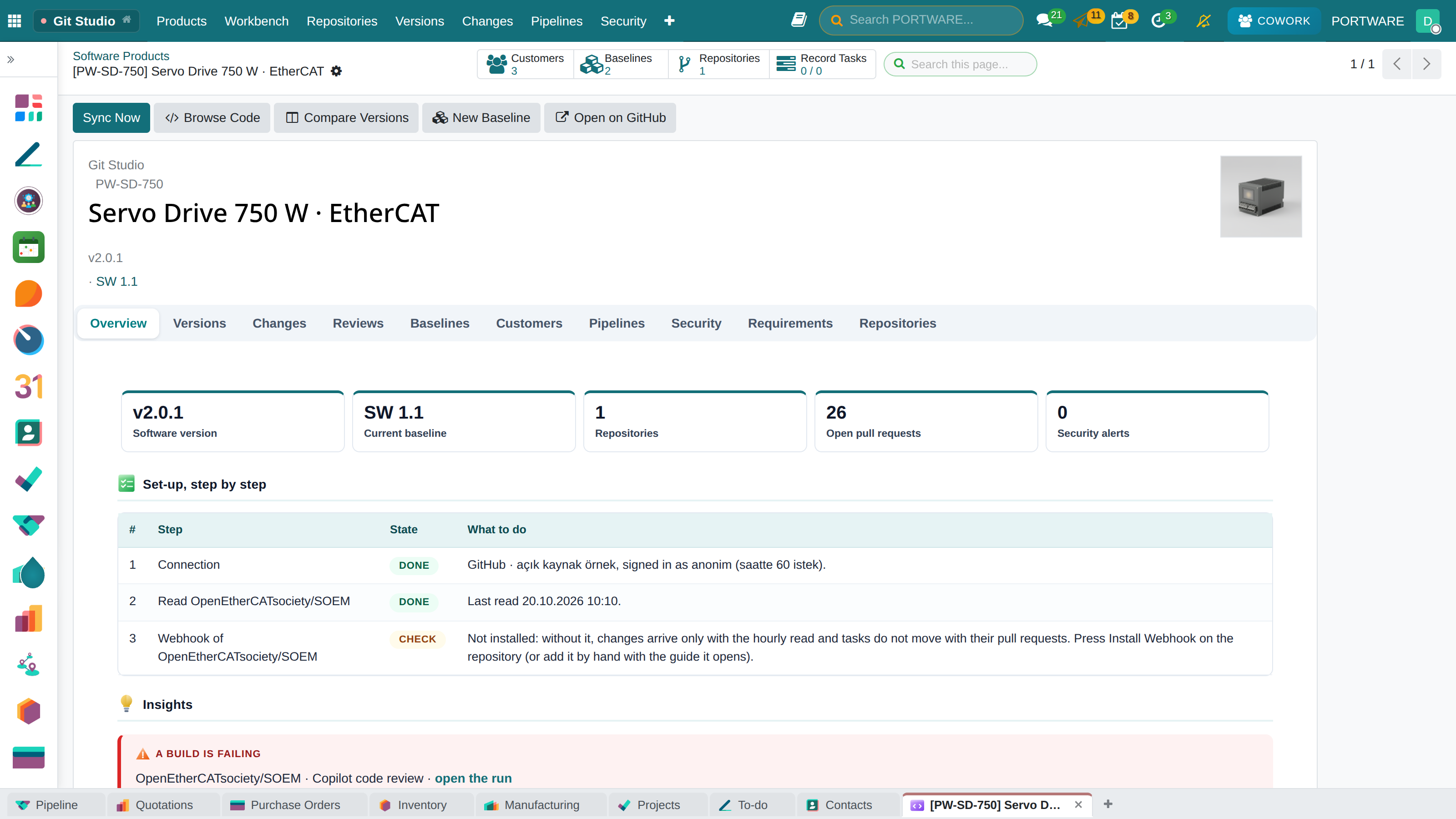
The product's GitHub button opens its studio. Opening GitHub is a button inside the studio. The overview starts with Insights: a failed build, open security alerts, approved requirements with no proof, customers on an old version, pull requests waiting for a week.
| Tab | What it shows |
|---|---|
| Overview | Software version, current baseline, repositories, open work, failed build |
| Versions | Tags and releases, change level and commit count |
| Changes | Recent commits by type, contributors, line-by-line diff |
| Reviews | Pull requests, check status, conversation |
| Baselines | Which version of which repository, for which hardware revision |
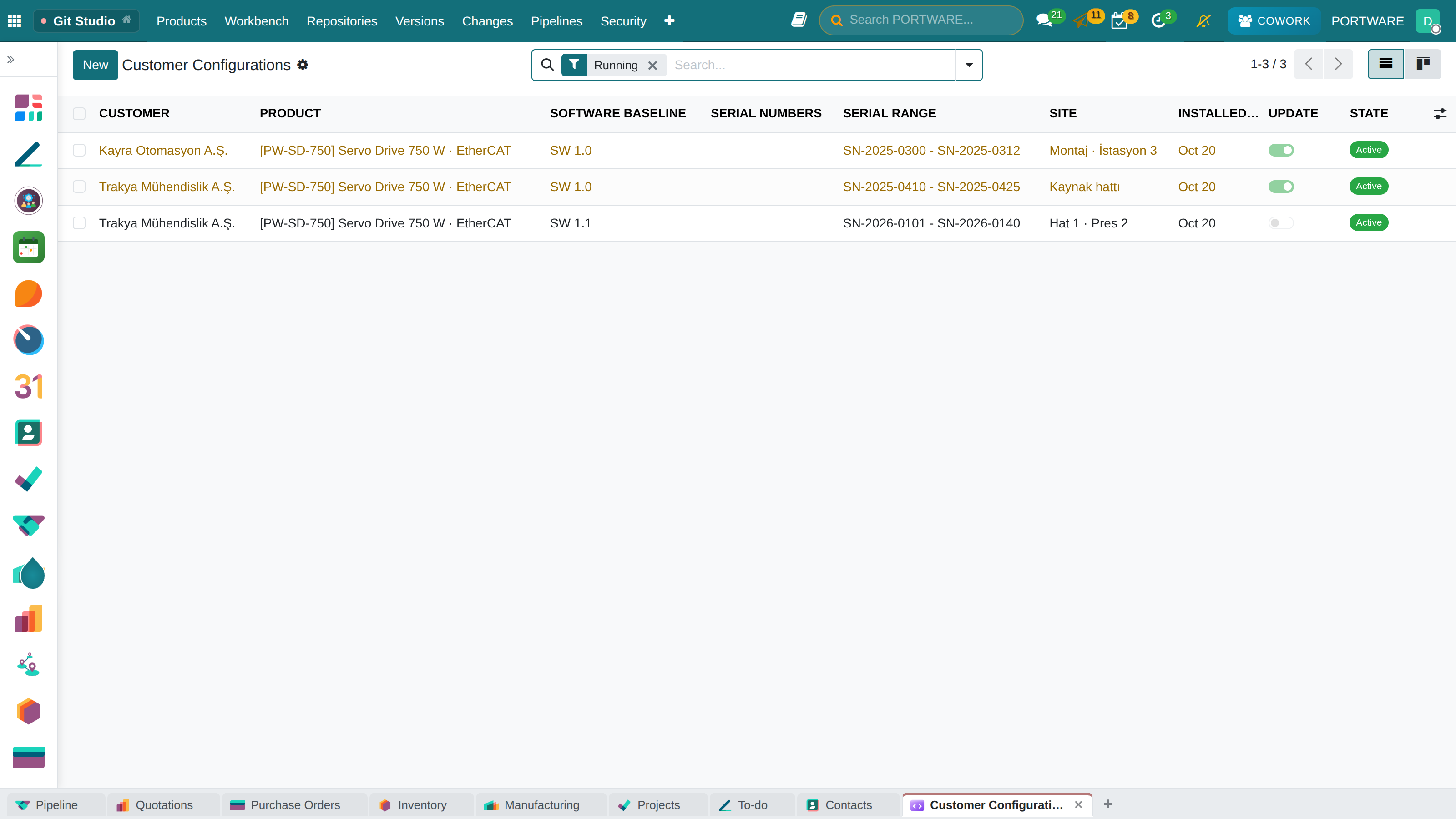
| Customers | Which customer runs which baseline, on which serial numbers |
| Build and Deploy | GitHub Actions runs and deployments per environment |
| Security | Dependabot alerts and the software bill of materials |
| Requirements | The tasks that deliver a requirement, the tests that prove it, latest results |
Buttons at the top: Sync Now, Browse Code, Compare Versions, Traceability Graph, New Baseline and Open on GitHub.
Workbench
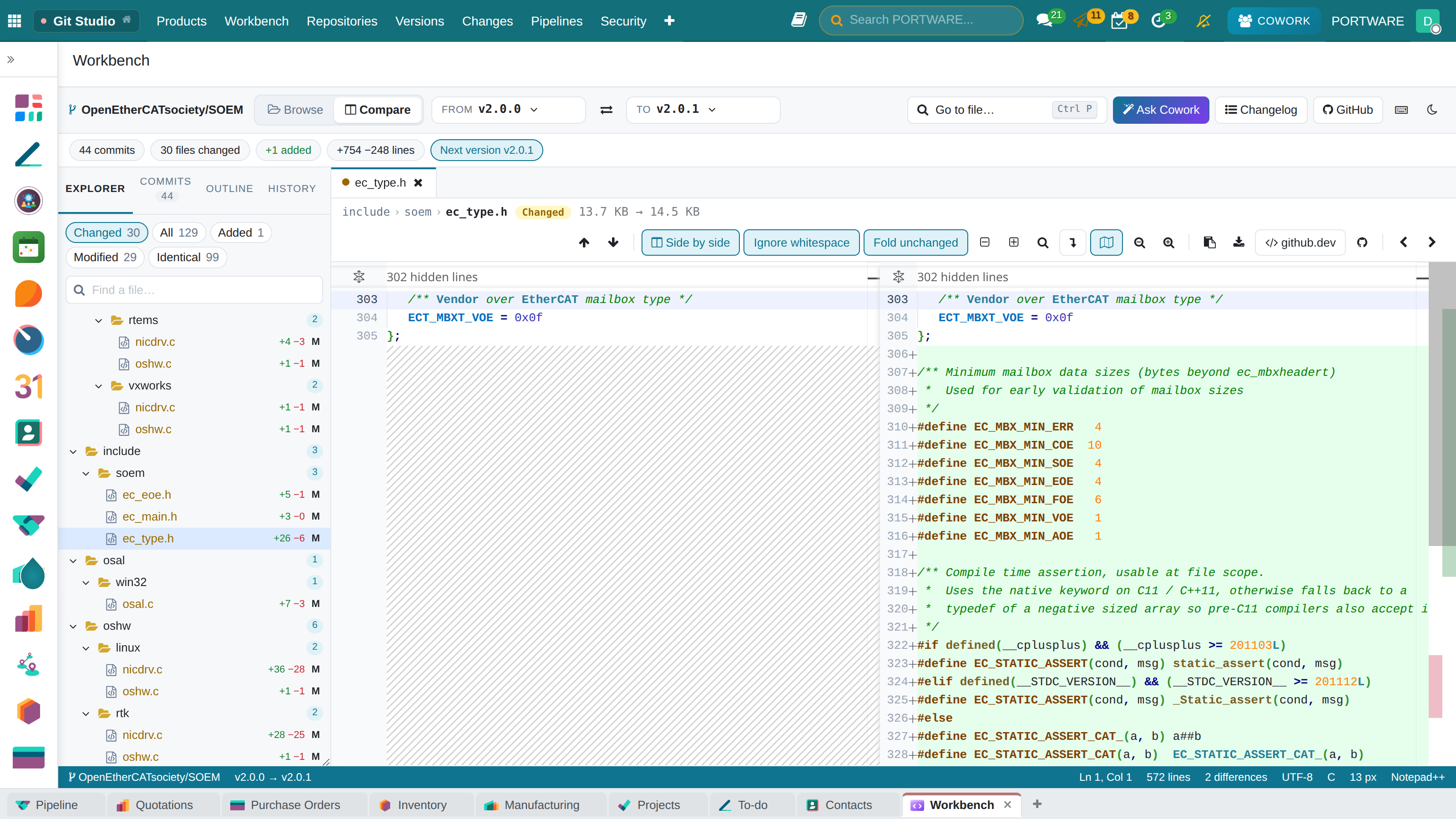
Explorer on the left, tabbed editor in the middle, status bar below. The editor is Monaco, the editor of VS Code, with Notepad++ colours or a dark Monokai theme.
- Browse opens every file of a version. Pick a tag, branch, baseline or commit.
- Compare shows the whole tree of two versions: changed, added, deleted, renamed, identical.
- A file opens side by side or in one column. Whitespace can be ignored and the arrows jump to the next change.
- Images compare side by side, with a slider or by transparency. PDF files preview.
- Binary files show size, fingerprint and first bytes, and both versions download.
- <kbd>Ctrl</kbd>+<kbd>P</kbd> finds a file by name. Outline lists functions and classes. History lists the commits that changed the file.
- Ask Cowork prepares the question about the open file or diff. Sending it stays with the user.
Versions and Baselines
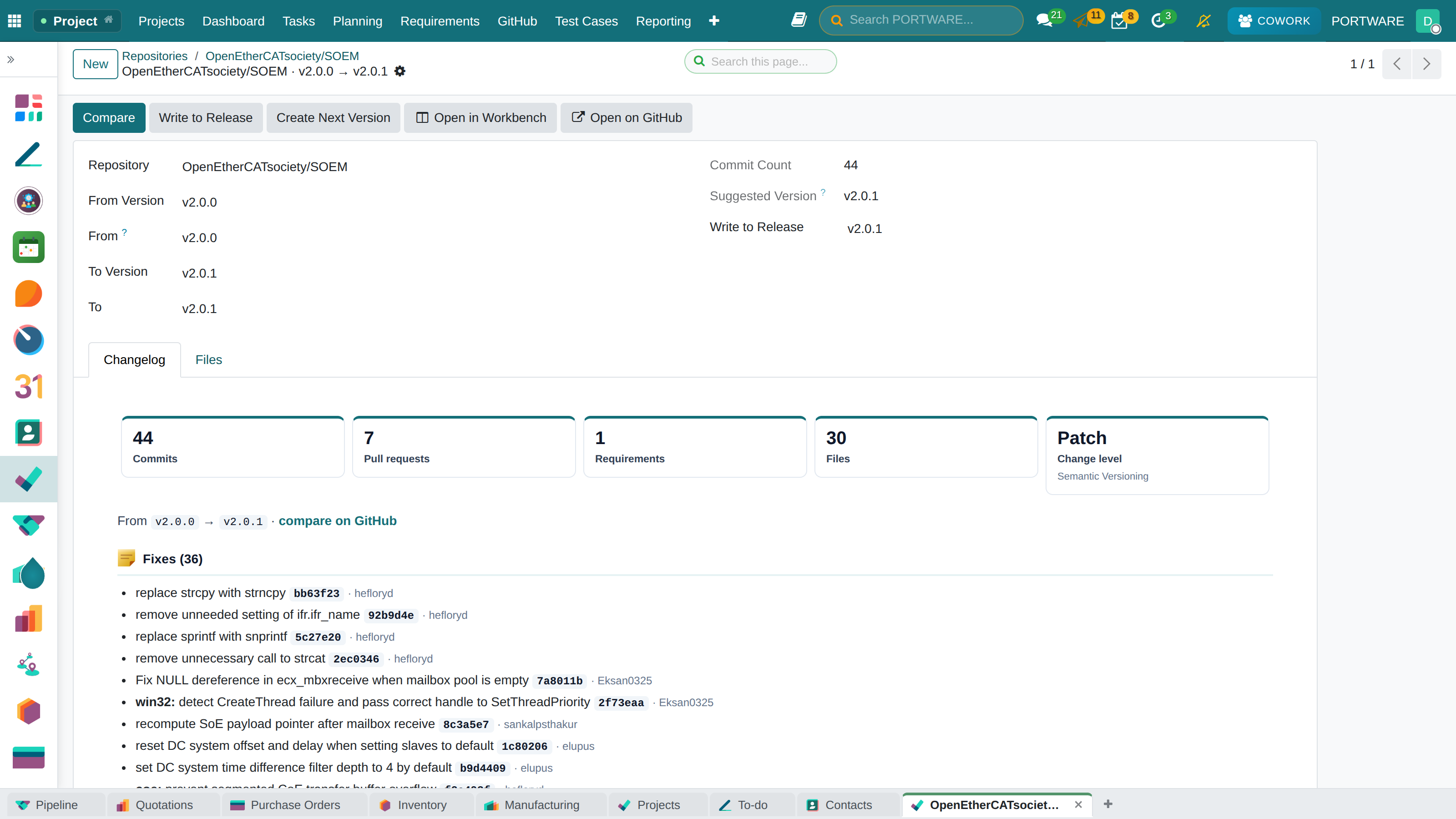
Generate Changelog compares with the previous version, groups commits by type and proposes the version level. New Release creates a tag or a release on GitHub.
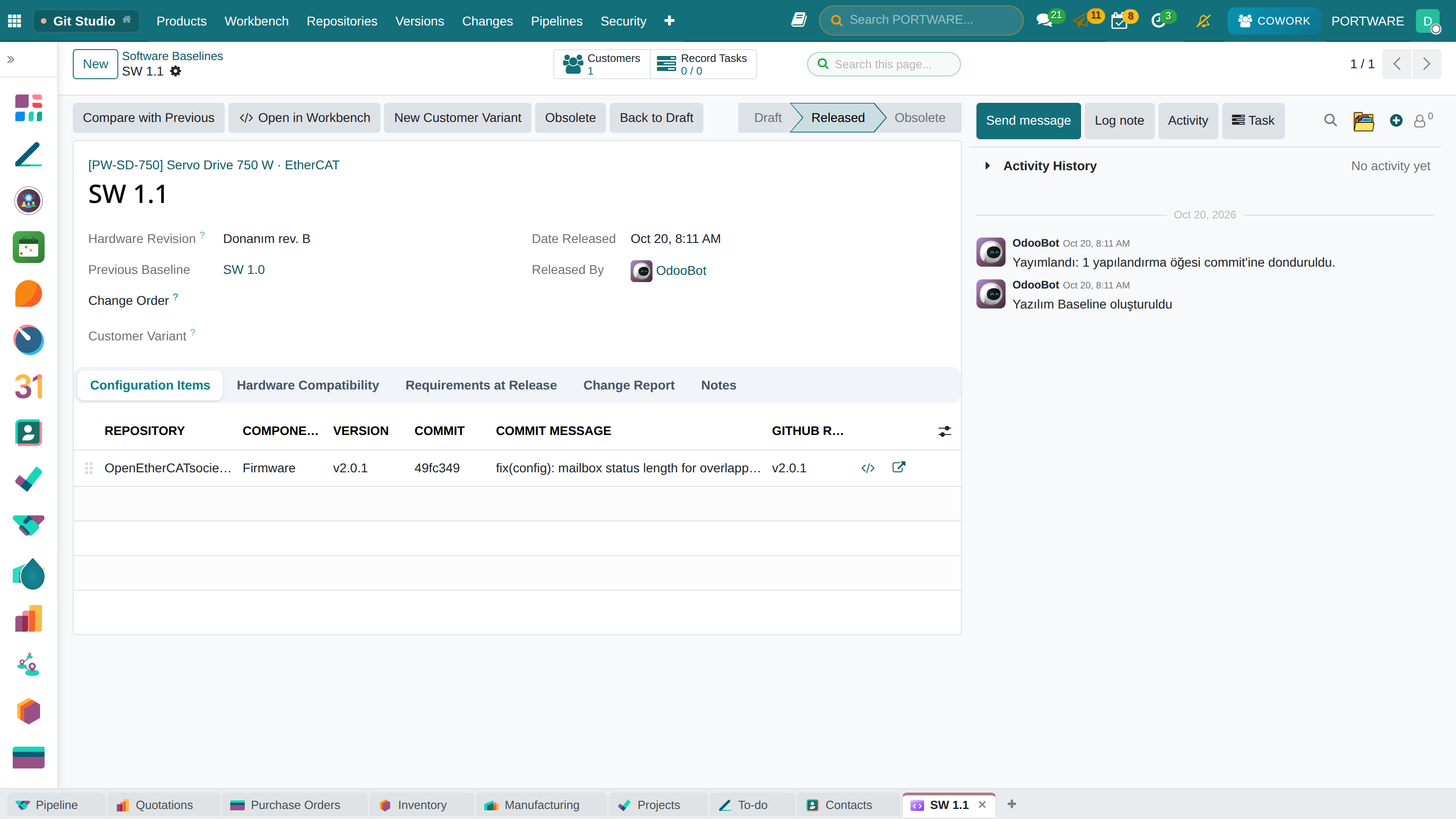
A software baseline records which version of each repository makes up a product version, following the configuration management approach of EIA-649 and ISO 10007. Release freezes each line to its exact commit and records the requirements with their trace state of that day. A released baseline cannot be changed or deleted. Compare With Previous reports what changed between two product versions, repository by repository.
Customer Configurations
A released baseline is pinned to a customer, its serial numbers and its site. The serial number form shows that device's software. When a newer baseline is released, customers left behind turn yellow. Propose Upgrade prepares a planned configuration and a report of what will change. Customer-specific software is a customer variant baseline.
Requirements, Code and Tests
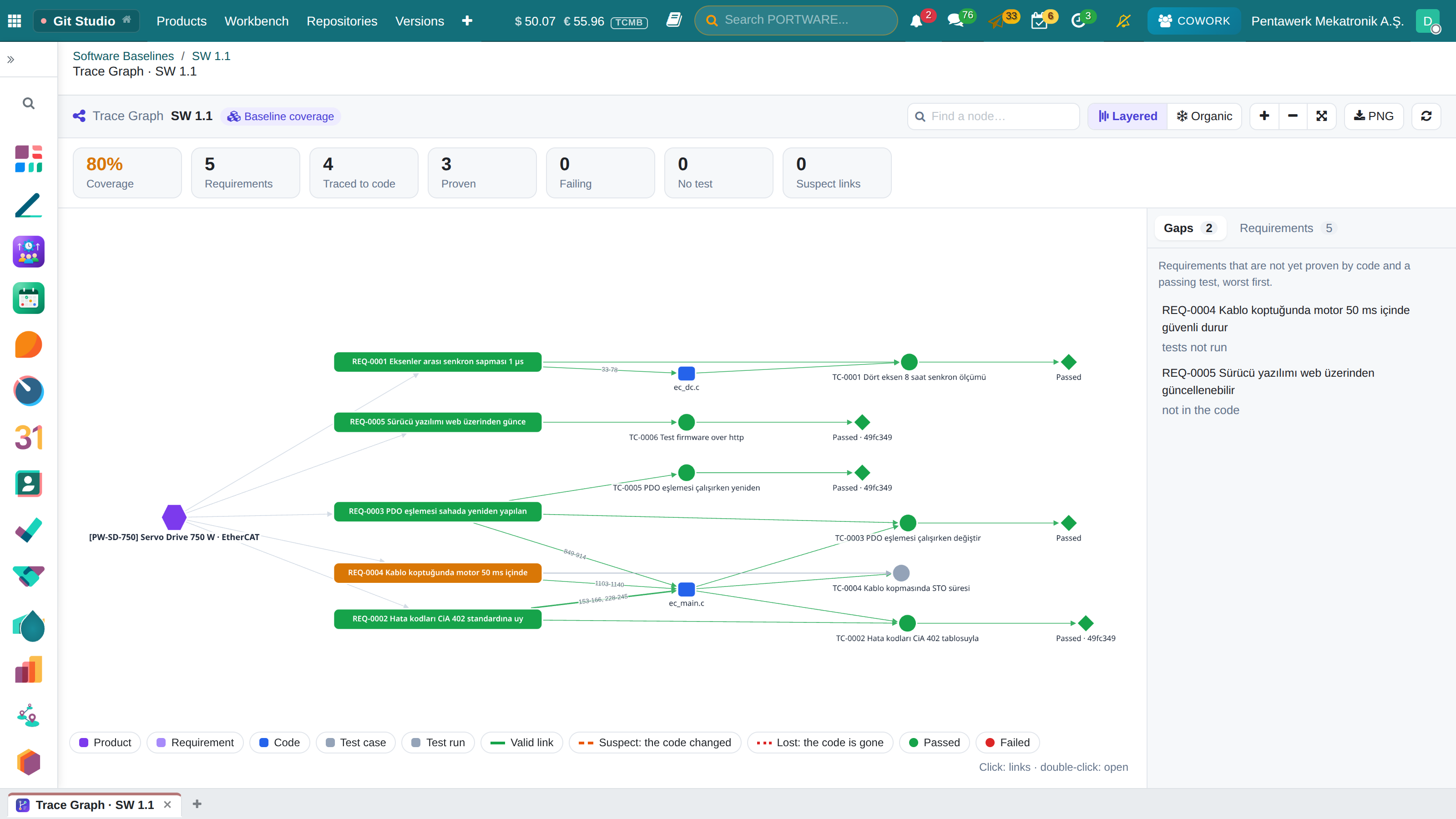
Markers in the code tie requirements to it: the OpenFastTrace form [impl->req~REQ-0001~1] or @req REQ-0001. Test results are uploaded per commit as JUnit or xUnit reports. Coverage is shown per baseline and requirements without proof are flagged. Dependency, traceability and change impact graphs come from the same data.
The GitHub button on a task sums up its software: commits, pull requests, the version the code landed in, the customers running that version, the requirements met.
PLC Software
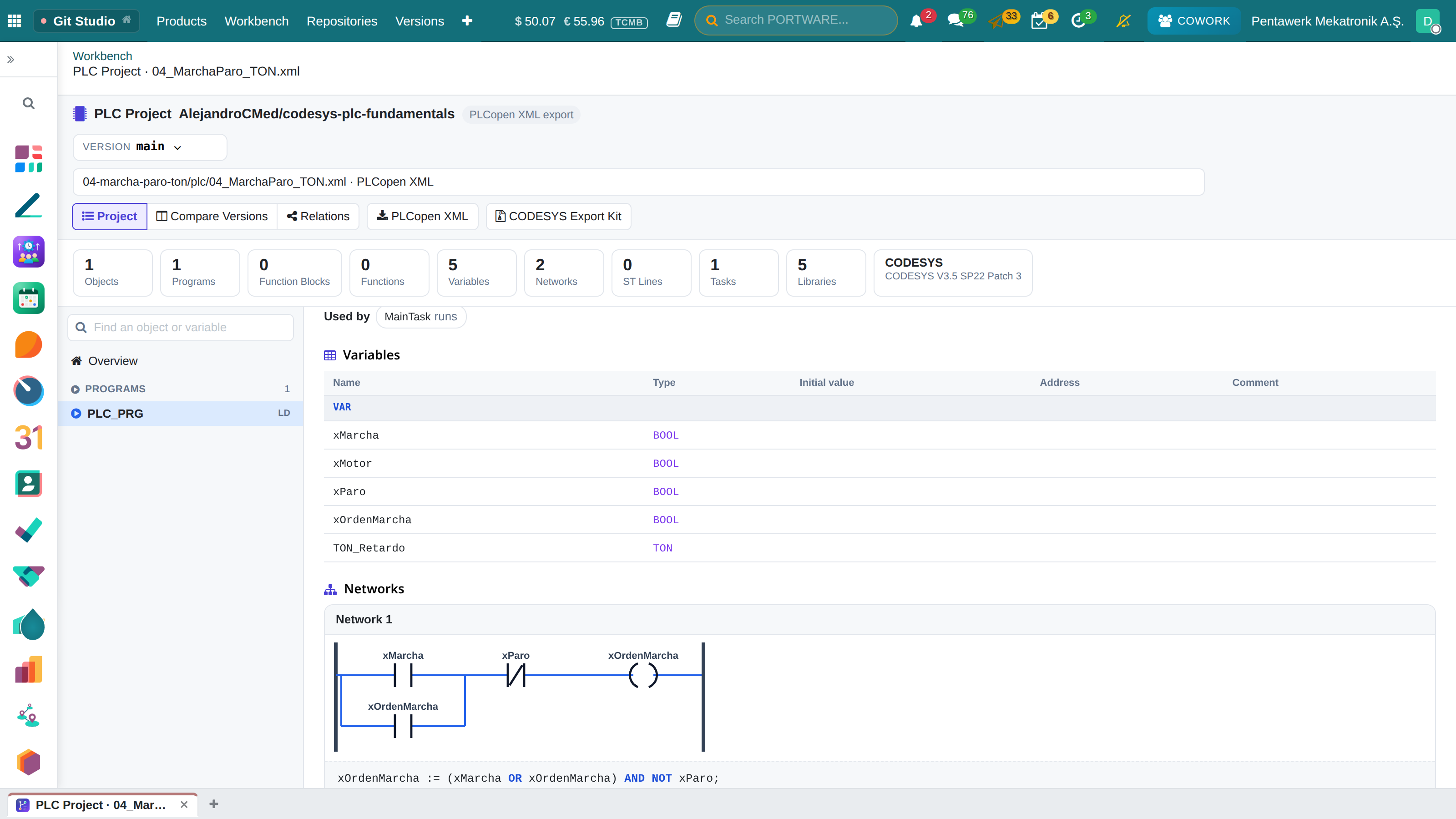
When a version holds a PLCopen XML export or CODESYS file-based storage, the PLC View opens. Ladder, FBD and CFC networks are rebuilt from their connections and written as Structured Text.
- Project shows the object tree, the declaration and the body.
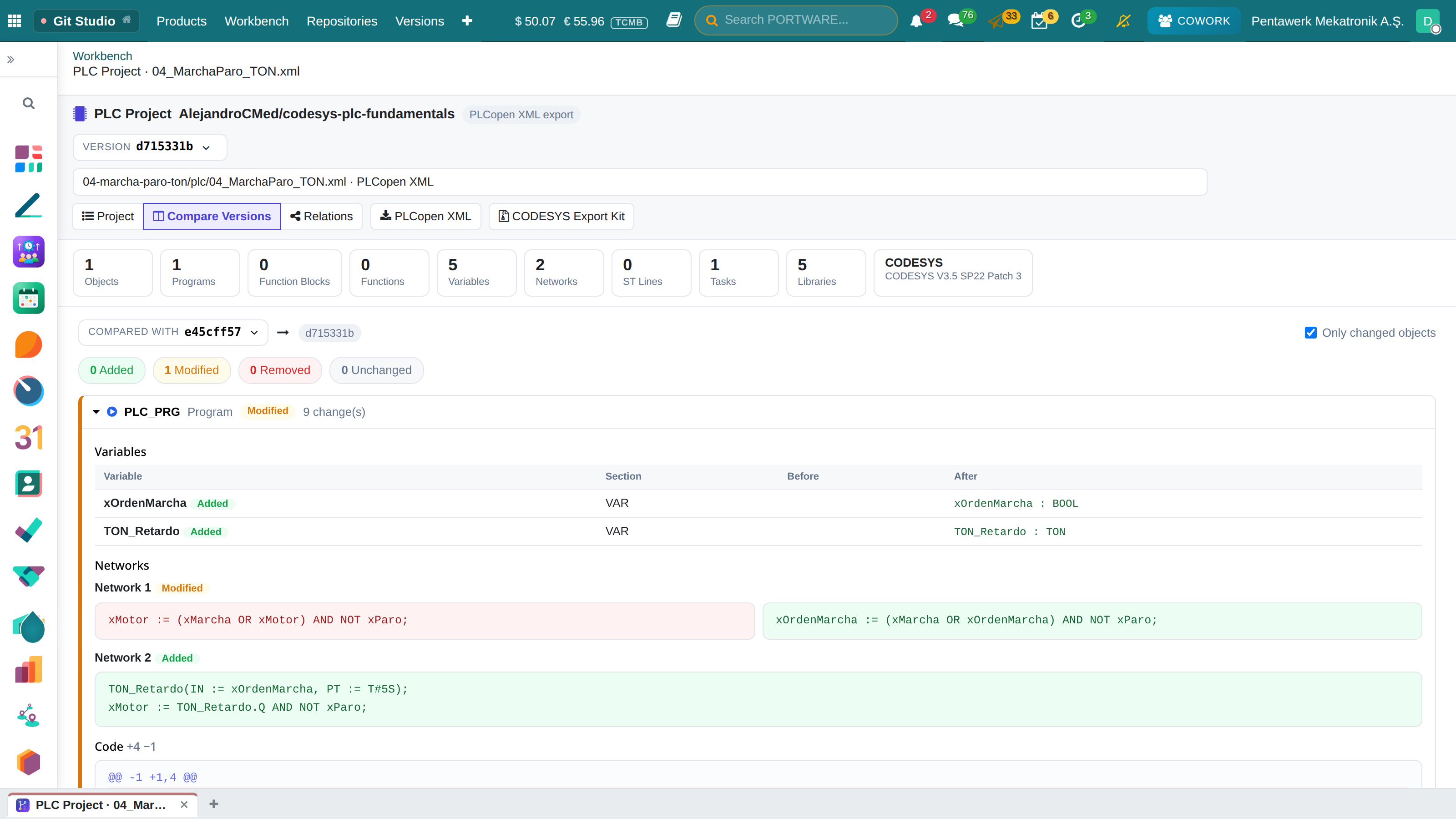
- Compare compares two versions object by object: variables, networks, ST lines, tasks, libraries.
- Relations draws which task runs what, the calls and the use of globals.
- ST bodies can be edited and given back to CODESYS as PLCopen XML.
A .project file is binary. The CODESYS Export Kit adds a PLCopen XML copy next to it on every commit, so versions stay readable.
Changing Code From PORTWARE
With Development From PORTWARE on for a repository, code can be changed in the Workbench. Pick a task and a branch: one signed commit goes to a working branch and a draft pull request tied to the task opens. Default and protected branches and stale files are refused.
With PLM and Cowork
With PLM installed, a software baseline carries the change order that released it, the hardware baselines it applies to and the compatible part revisions. Cowork and AI clients connected through MCP read versions, diffs, baselines and customer software. Releasing a baseline, pinning a version to a customer and proposing an upgrade happen only with the user's approval.
| Module | What it does |
|---|---|
| PORTWARE Git Studio | The software lifecycle of a product inside PORTWARE: versions, changes, reviews, pipelines, security, baselines and requirements |
| PORTWARE Git Studio · Cowork | Cowork and every MCP client work with Git Studio: versions, compares, files, diffs, software baselines and customer configurations |
| PORTWARE Git Studio · PLM | Software baselines in the PLM: released by change orders, valid with hardware baselines and revisions |